Every macro. One key away.Her makro. Tek tuş uzağında.
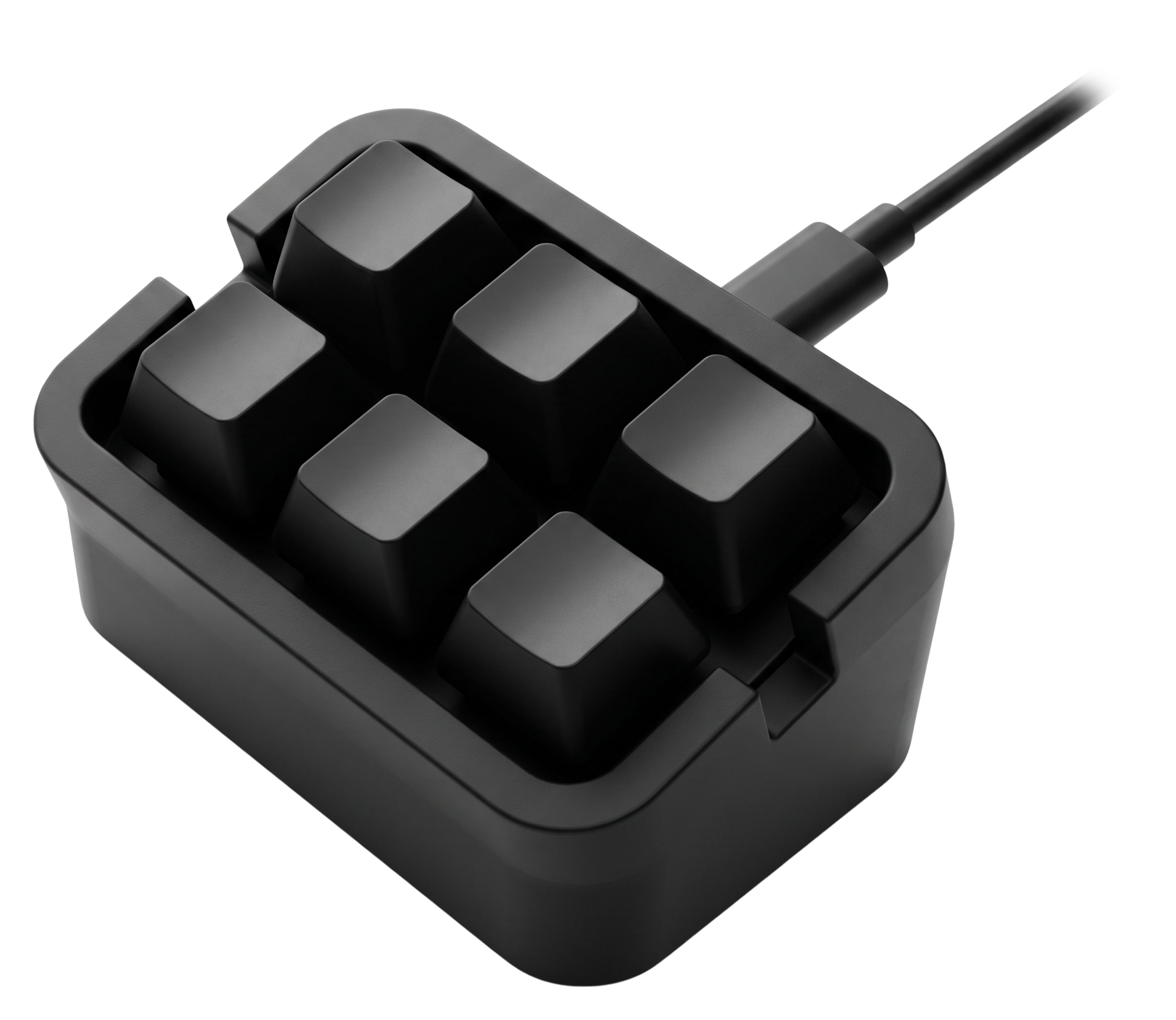
MKYADA is the macro keypad you always dream about, record anything, put it on a key, take it anywhere.MKYADA, hep hayalini kurduğunuz makro klavye, her şeyi kaydedin, bir tuşa atayın, yanınızda götürün.
Free & open source · MIT license · No account, no cloud, no subscriptionÜcretsiz ve açık kaynak · MIT lisansı · Hesap yok, bulut yok, abonelik yok
Every macro. One key away.Her makro. Tek tuş uzağında.
MKYADA is the macro keypad you always dream about, record anything, put it on a key, take it anywhere.MKYADA, hep hayalini kurduğunuz makro klavye, her şeyi kaydedin, bir tuşa atayın, yanınızda götürün.
Free & open source · MIT license · No account, no cloud, no subscriptionÜcretsiz ve açık kaynak · MIT lisansı · Hesap yok, bulut yok, abonelik yok
Real hardware. Real keystrokes.Gerçek donanım. Gerçek tuş basışları.
To your computer, it's not a macro. It's you, typing.Bilgisayarınıza göre bu bir makro değil. Klavyede yazan sizsiniz.
Software macro tools inject fake events that games and secure apps happily ignore. MKYADA is different: it is a keyboard and a mouse. Every recorded click, keystroke and mouse path is replayed as genuine USB hardware input, indistinguishable from your own hands.Yazılımsal makro araçları sahte olaylar üretir; oyunlar ve güvenlik isteyen uygulamalar bunları rahatça yok sayar. MKYADA farklı: kendisi gerçek bir klavye ve fare. Kaydedilen her tıklama, tuş ve fare hareketi USB üzerinden gerçek donanım girdisi olarak oynatılır, kendi elinizden ayırt edilemez.
Standalone by designTasarımı gereği bağımsız
Take it anywhere. It remembers everything.Nereye giderseniz götürün. Her şeyi hatırlar.
Your macros live on the keypad, not on the computer. Once a macro is on a key, you don't need the app anymore. Unplug the keypad, walk to another desk, another office, another operating system, plug it in and press. The keypad itself works on any OS, Linux included; the app runs on macOS and Windows. Everything is stored on the device as plain, readable JSON files you can even edit by hand.Makrolarınız bilgisayarda değil, klavyenin içinde yaşar. Bir makro tuşa yüklendikten sonra uygulamaya ihtiyacınız kalmaz. Klavyeyi söküp başka bir masaya, başka bir ofise, başka bir işletim sistemine götürün, takın ve basın. Klavyenin kendisi Linux dahil her işletim sisteminde çalışır; uygulama macOS ve Windows'ta. Her şey cihazın üzerinde, elle bile düzenleyebileceğiniz sade JSON dosyaları olarak durur.
One firmware. Two keypads.Tek bellenim. İki klavye.
Pick your MKYADA.MKYADA'nızı seçin.
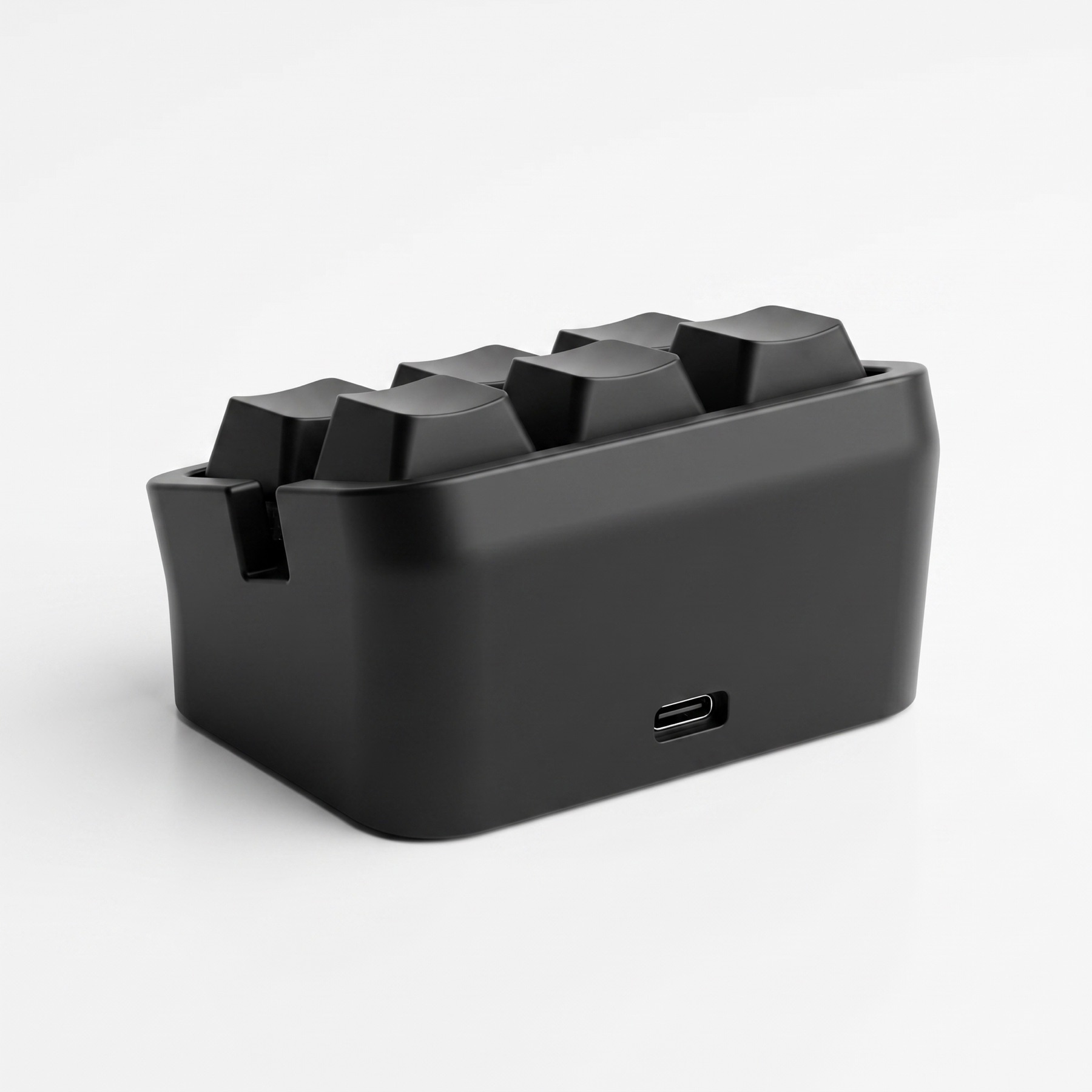
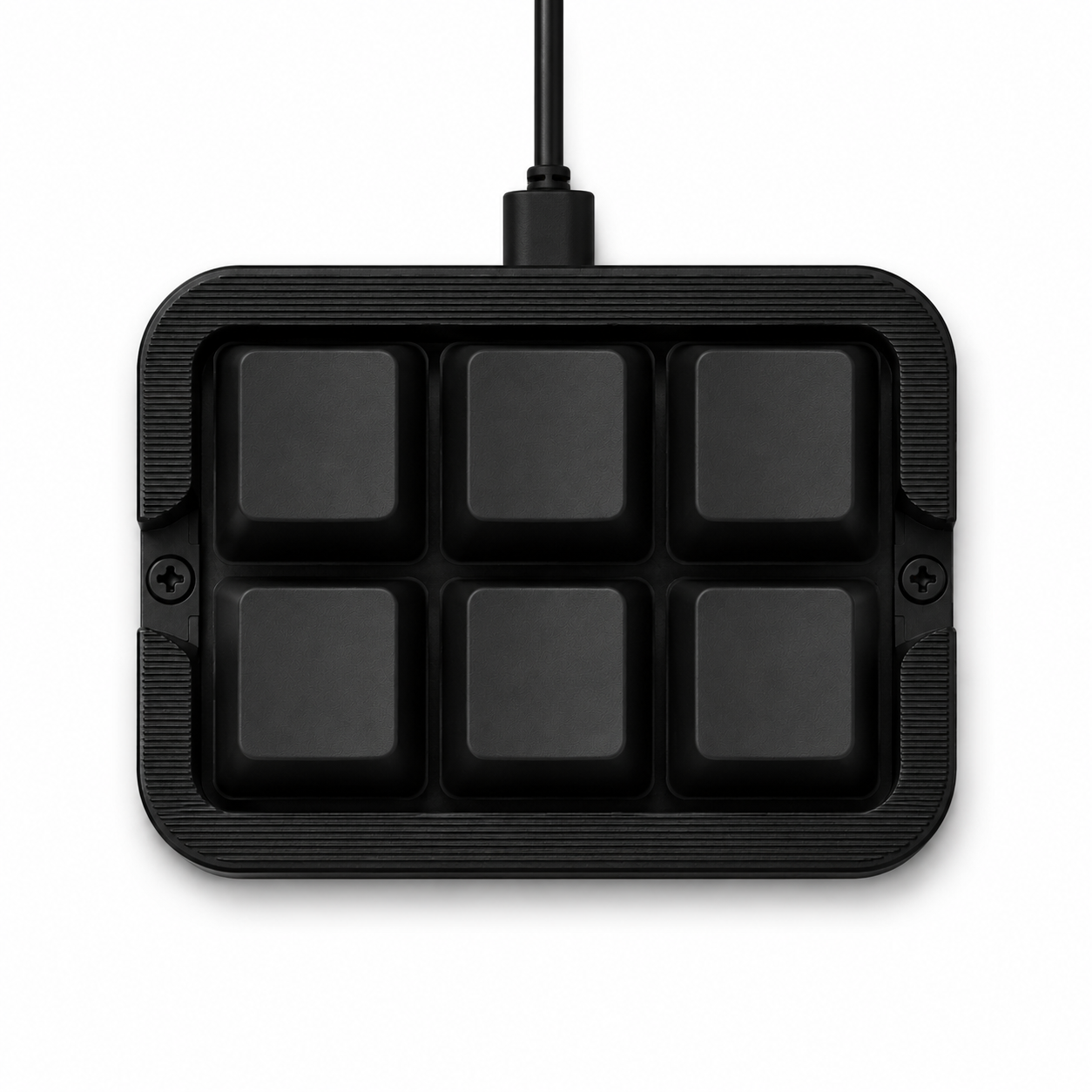
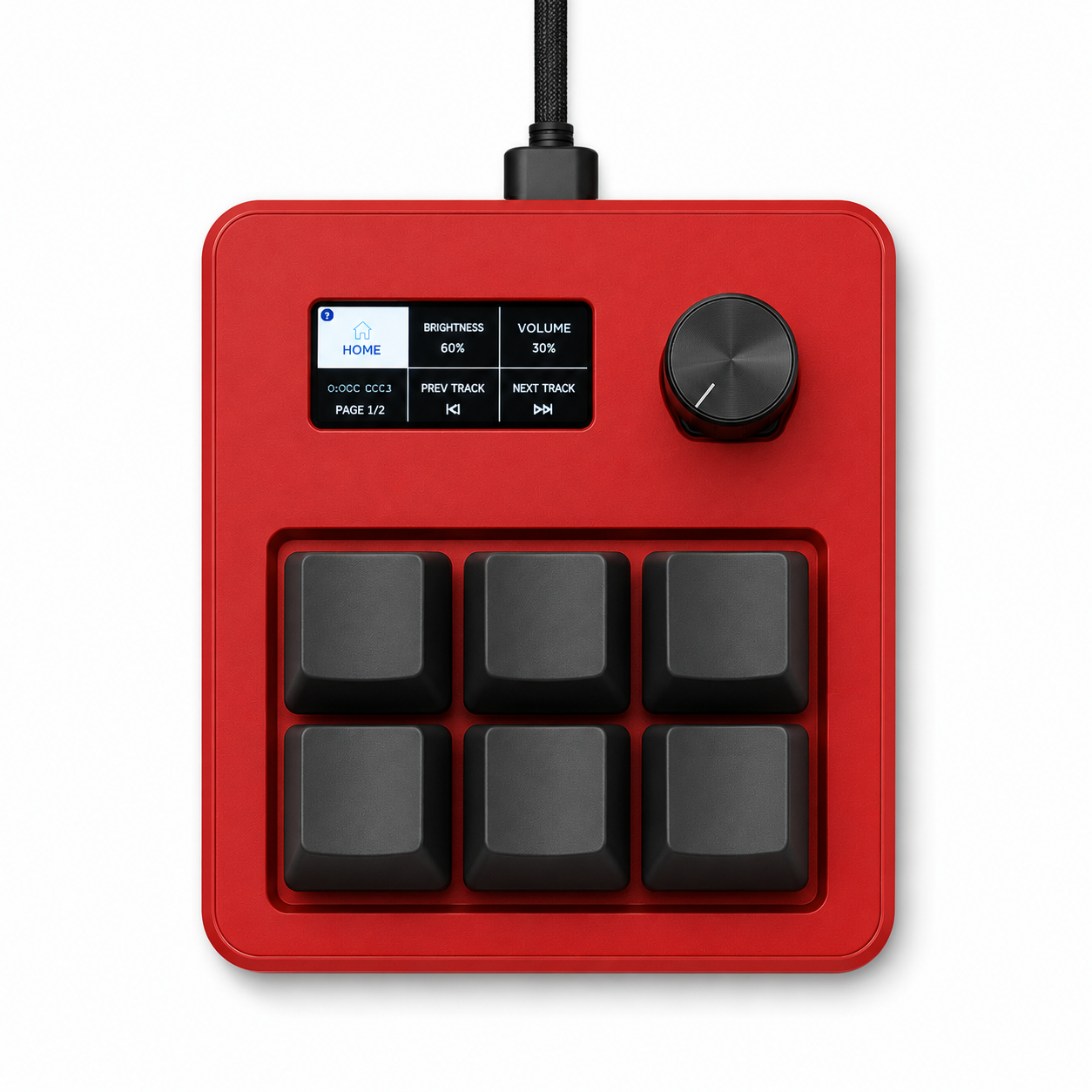
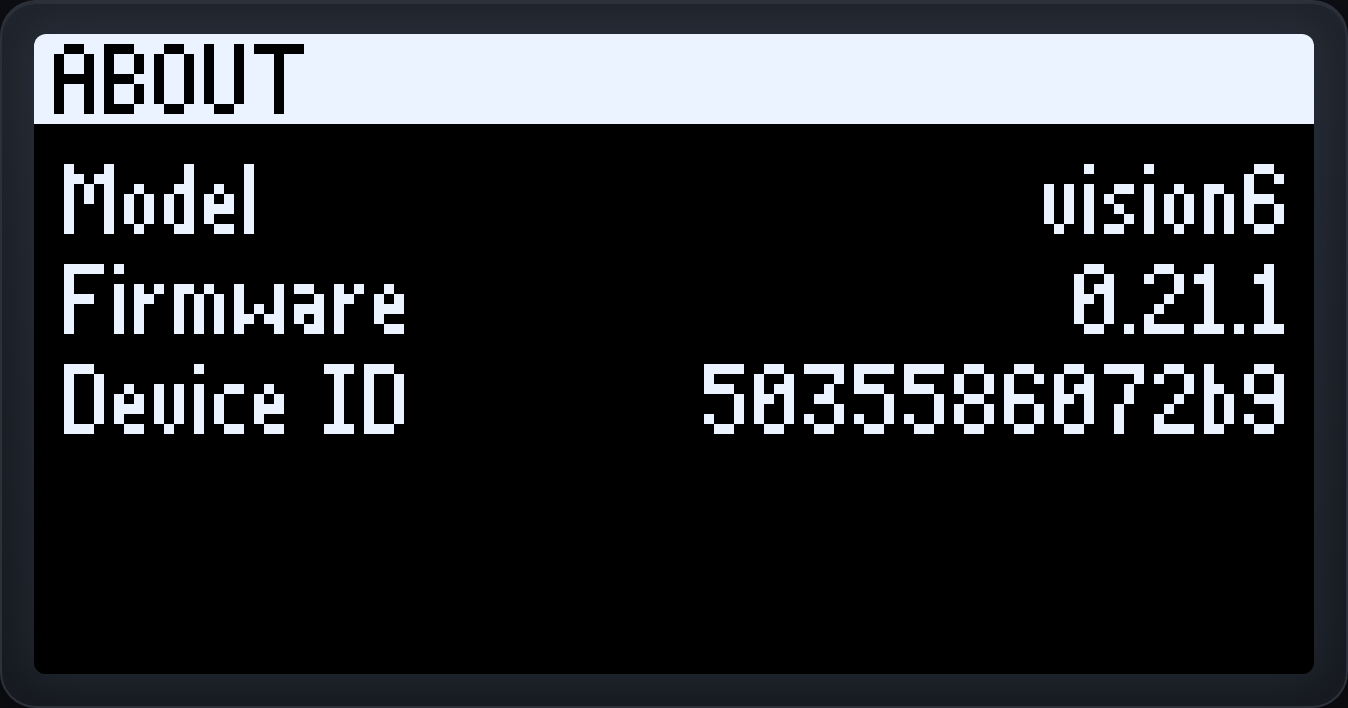
Same app, same macros, same JSON files, two bodies. The Core 6 is the clean screenless keypad. The Vision 6 adds a crisp OLED and a rotary wheel, so you can see and tune everything right on the device. A blank board auto-detects which one it is at first boot.Aynı uygulama, aynı makrolar, aynı JSON dosyaları, iki gövde. Core 6 sade, ekransız klavye. Vision 6 ise net bir OLED ve döner tekerlek ekler; böylece her şeyi doğrudan cihaz üzerinde görüp ayarlayabilirsiniz. Boş bir kart ilk açılışta hangisi olduğunu kendi anlar.
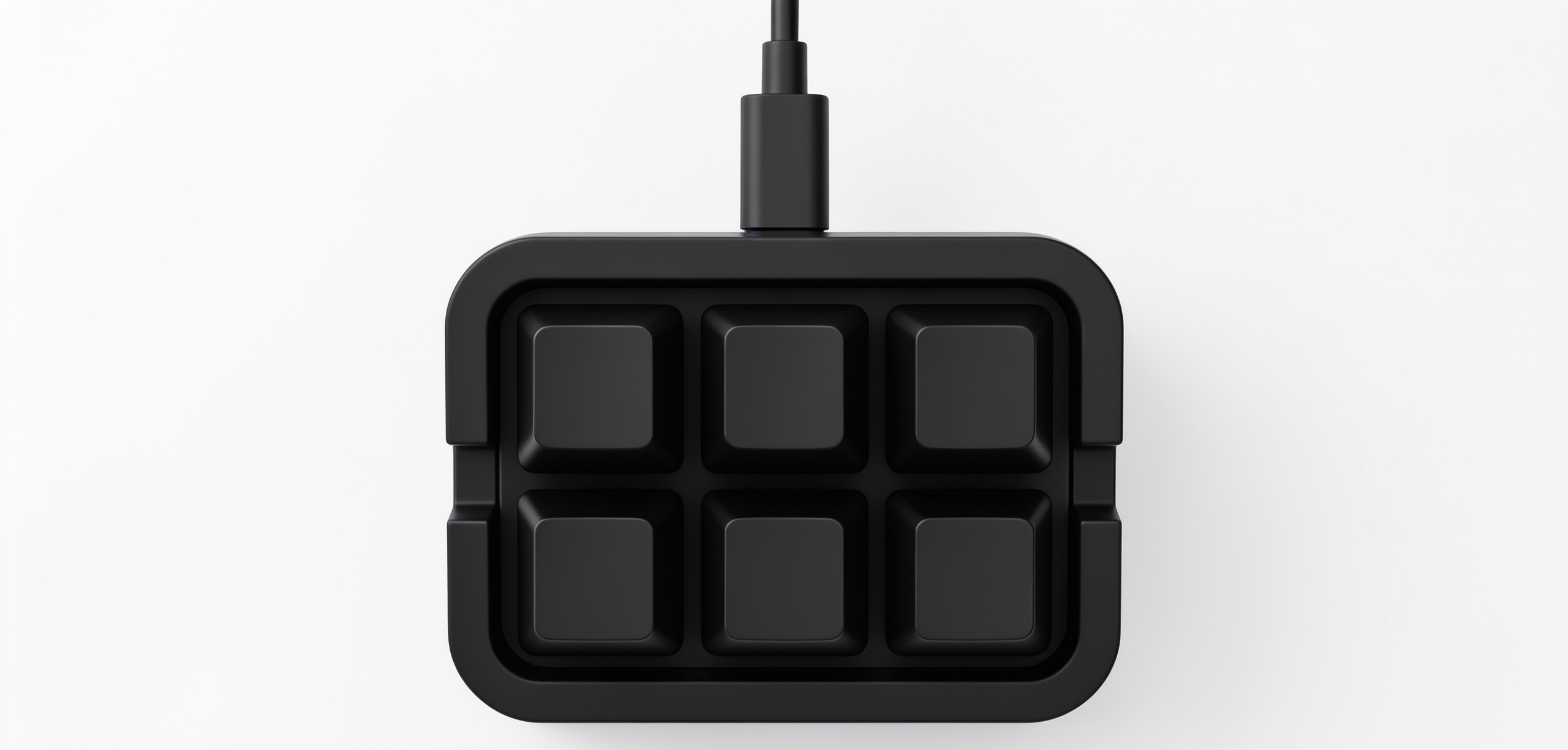
MKYADA Core 6MKYADA Core 6
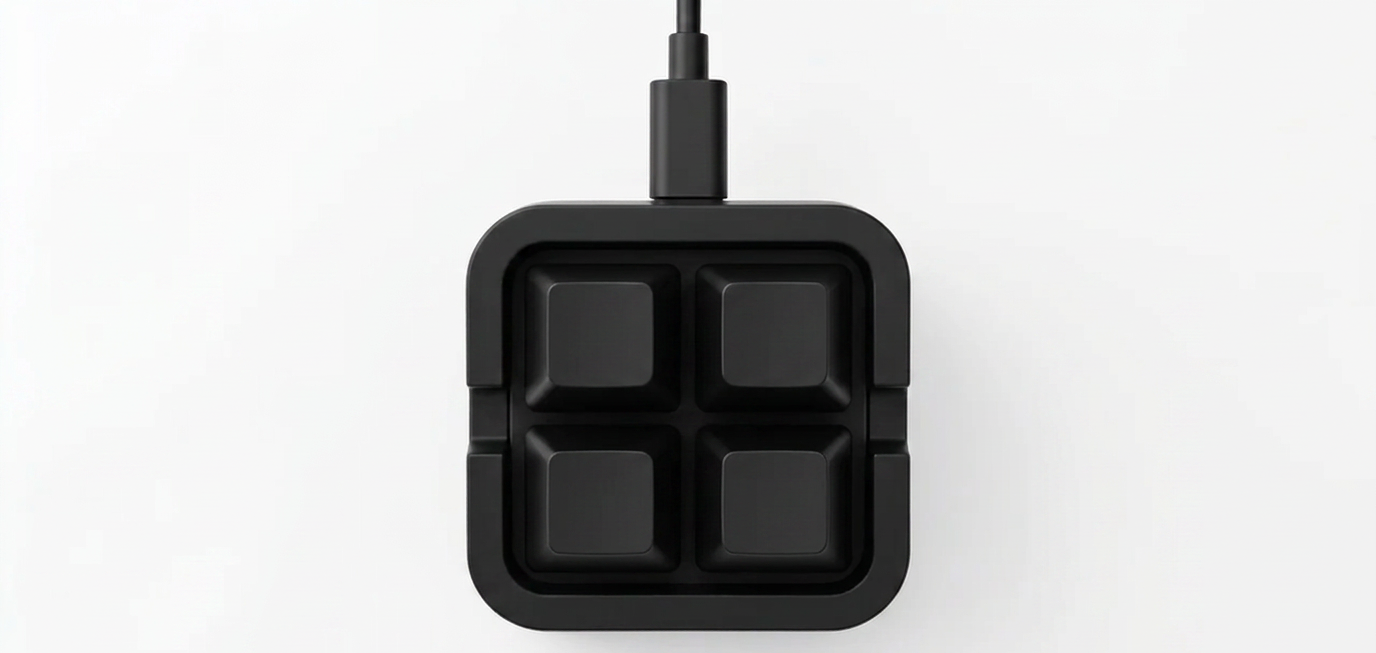
Six keys and an on-board RGB LED. A dedicated layer key cycles your pages; the LED shows status and mute state. Pure, pocketable, unstoppable, works on any OS with no app at all.Altı tuş ve kart üstü RGB LED. Ayrı bir katman tuşu sayfalarınızı döndürür; LED durumu ve sessize alma halini gösterir. Sade, cebe sığar, durdurulamaz, uygulama olmadan her işletim sisteminde çalışır.
MKYADA Vision 6MKYADA Vision 6
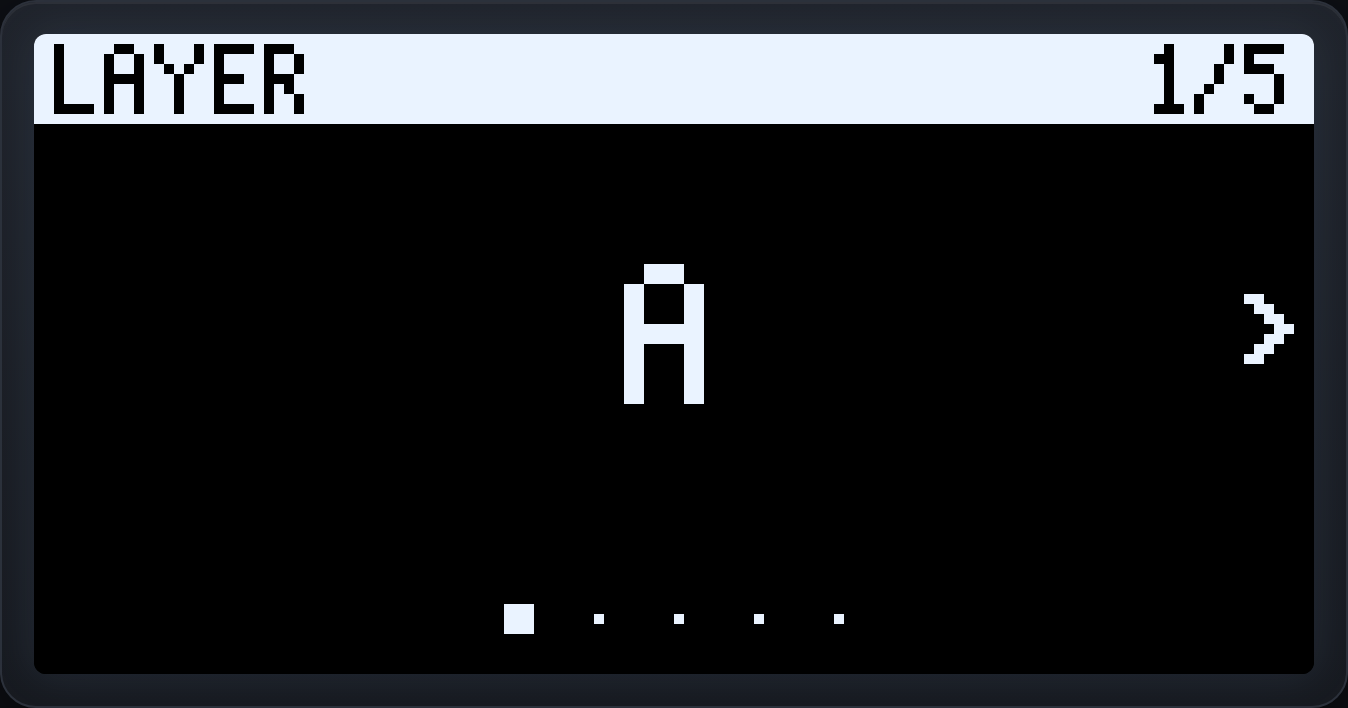
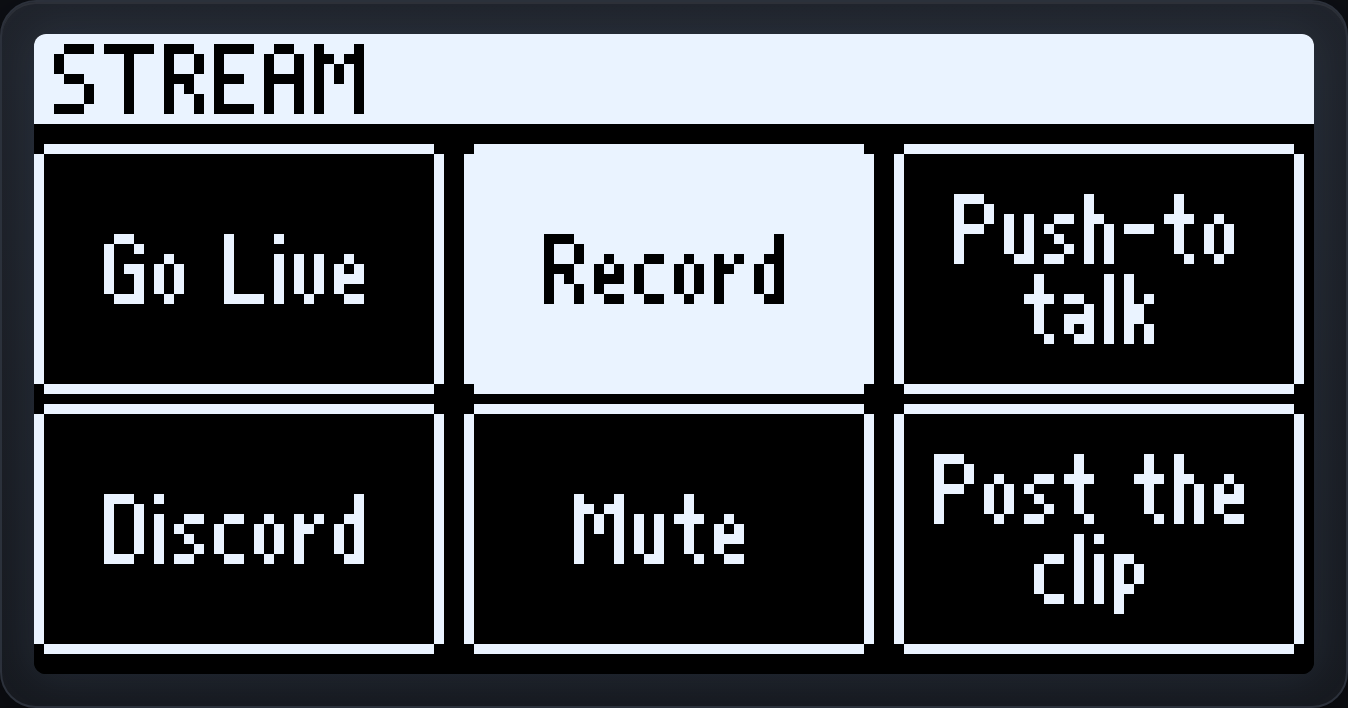
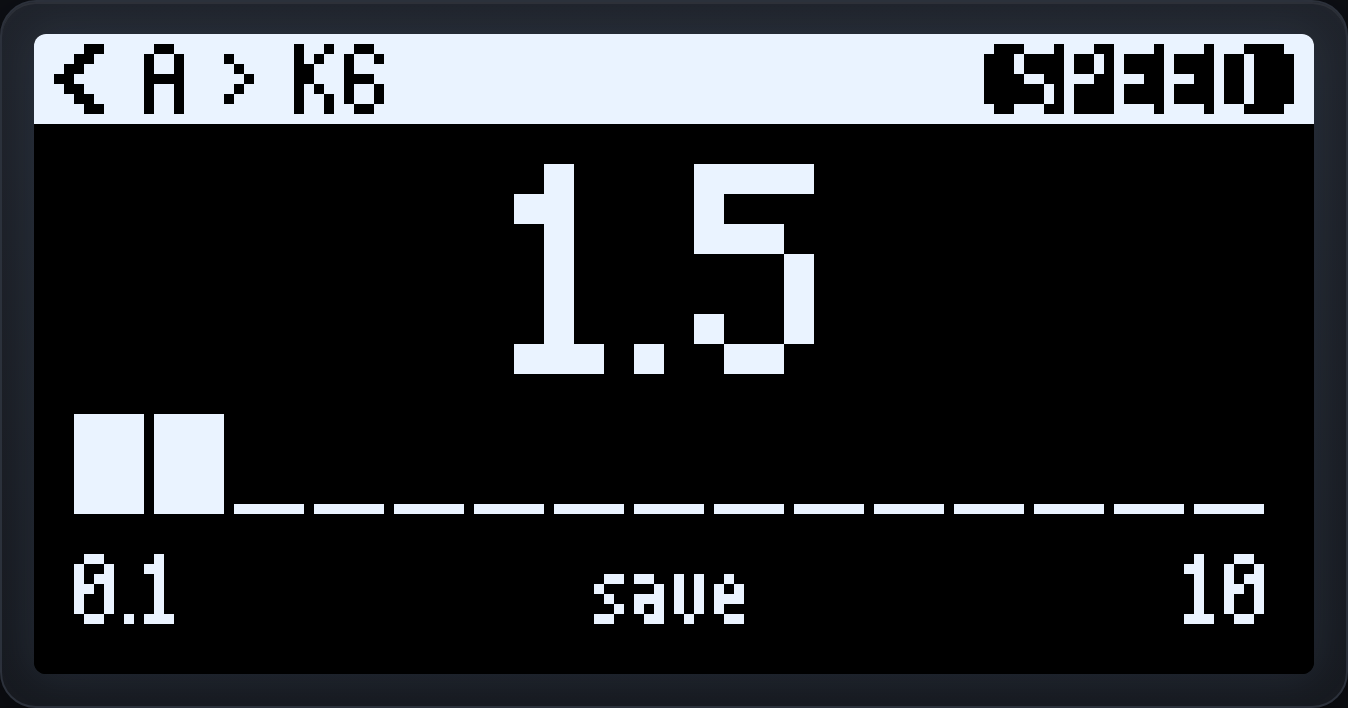
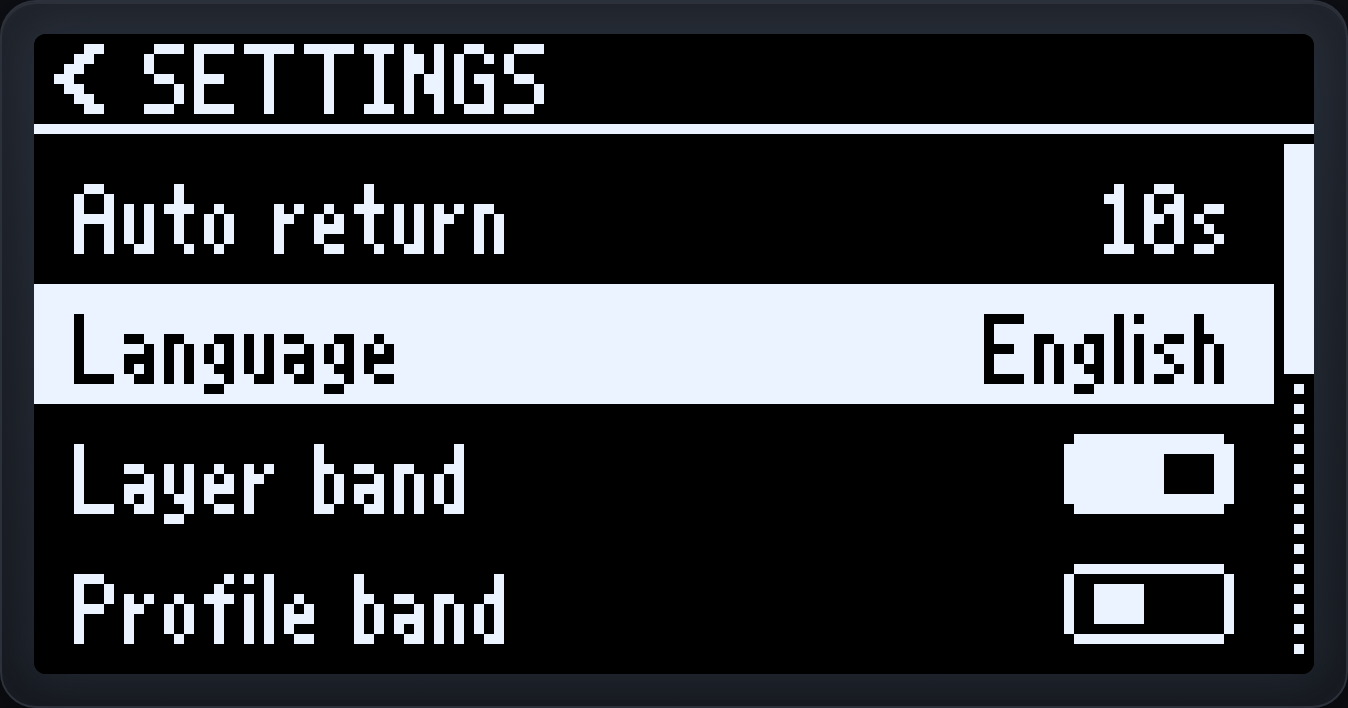
Everything the Core 6 does, plus a 128×64 OLED and an EC11 wheel with BACK/CONFIRM. Read live macro names, switch layers by turning the wheel, tune playback speed and settings on the screen itself.Core 6'nın yaptığı her şey, artı 128×64 OLED ve BACK/CONFIRM'lü bir EC11 tekerlek. Canlı makro adlarını okuyun, tekerleği çevirerek katman değiştirin, oynatma hızını ve ayarları ekranın kendisinde ayarlayın.
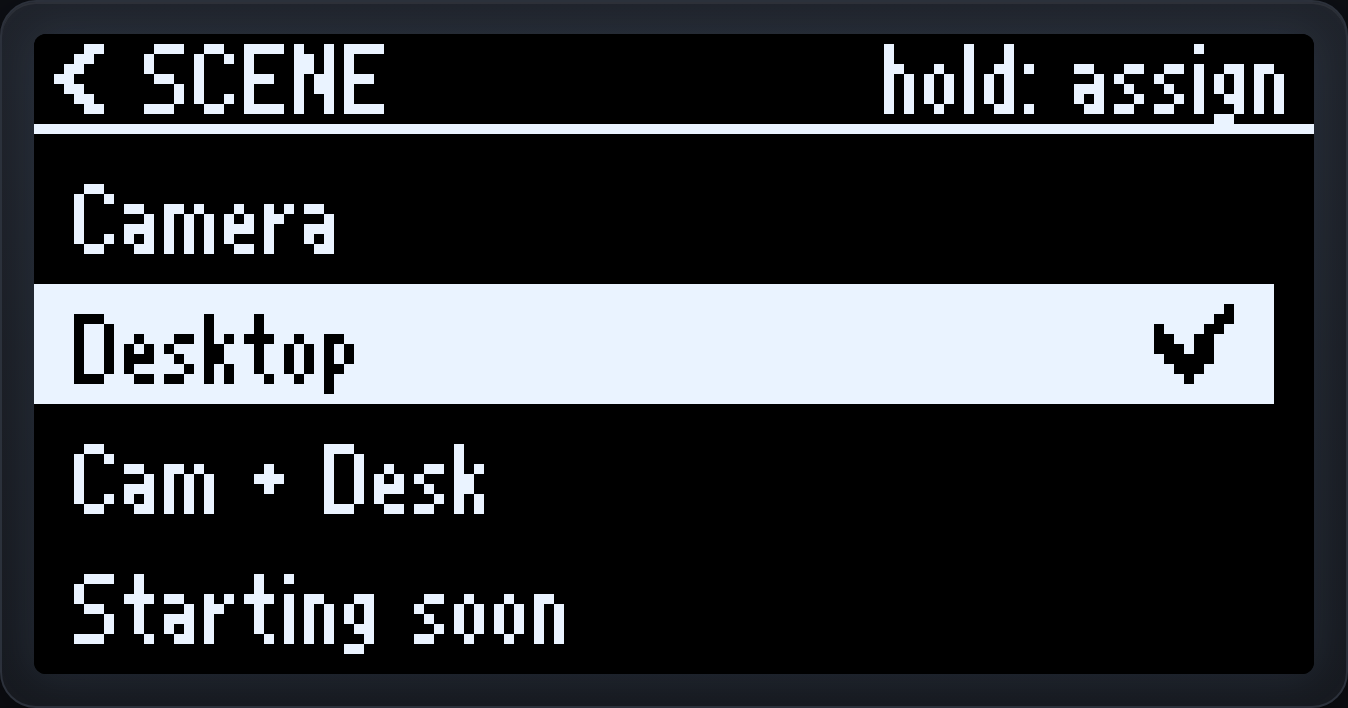
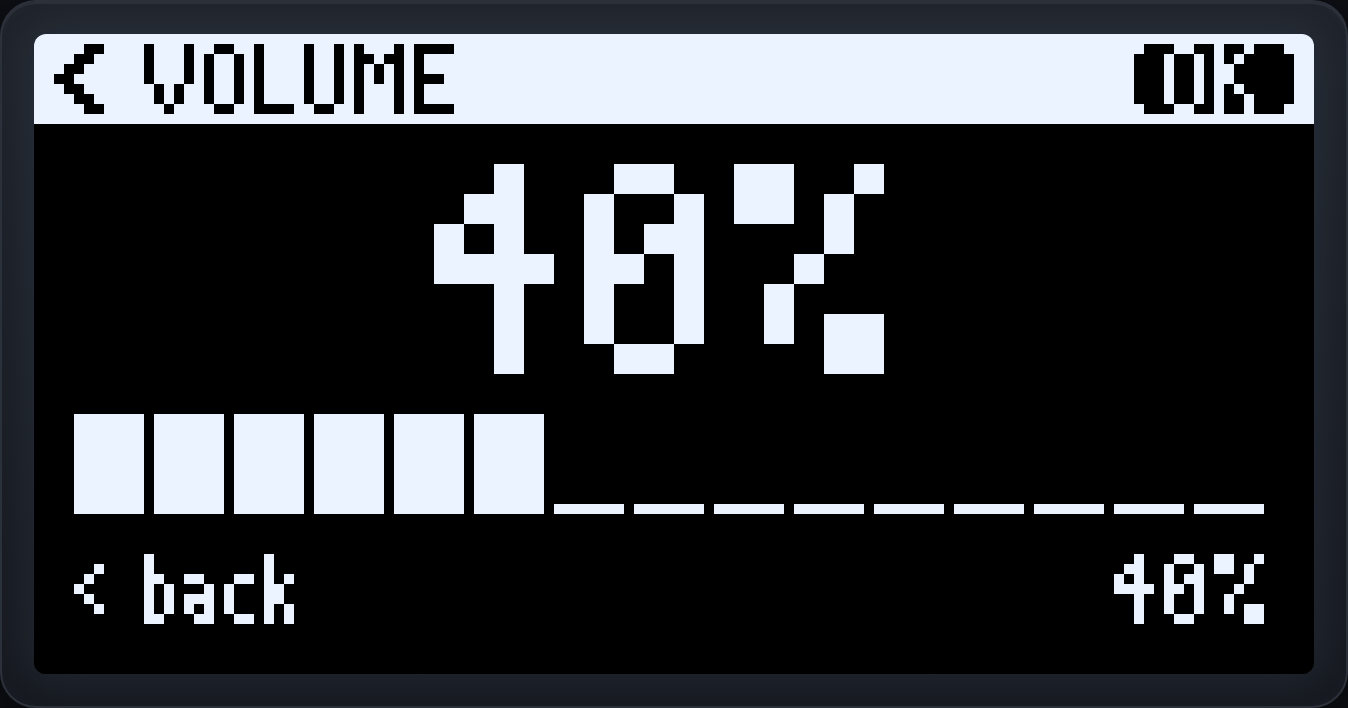
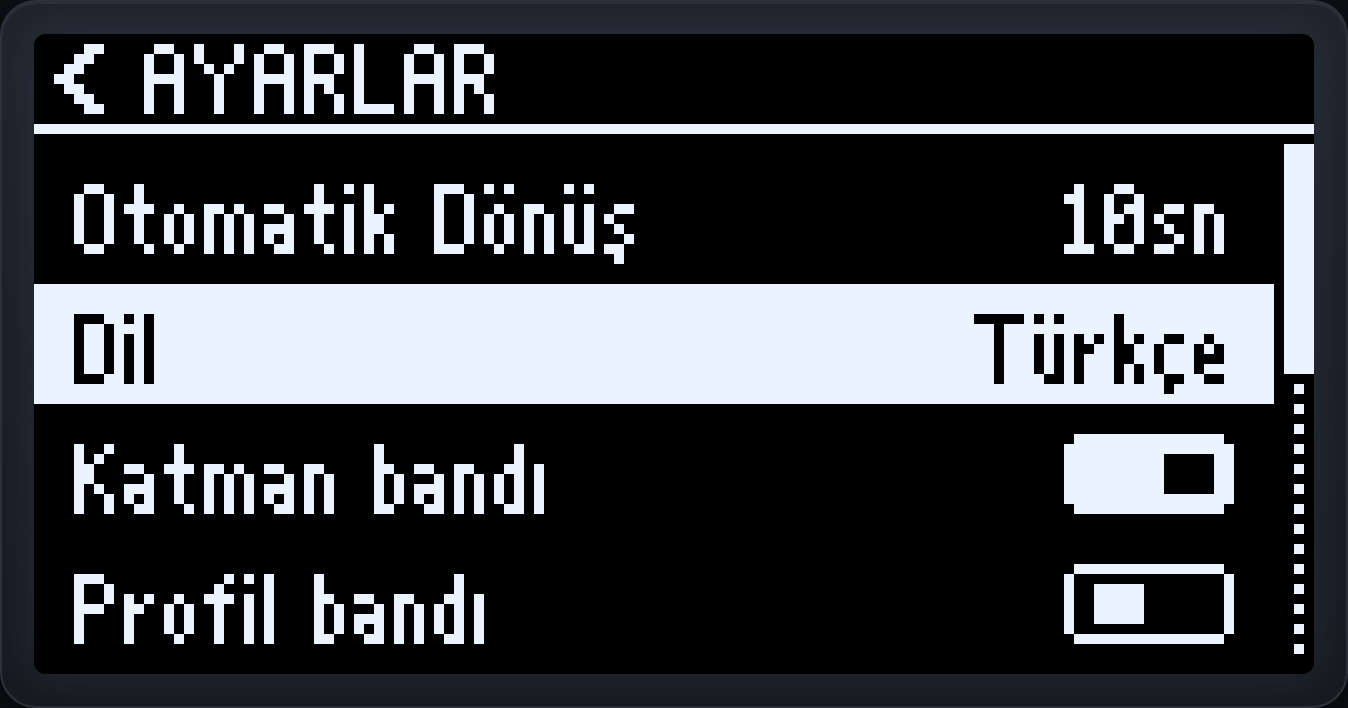
The Vision 6 screenVision 6 ekranı
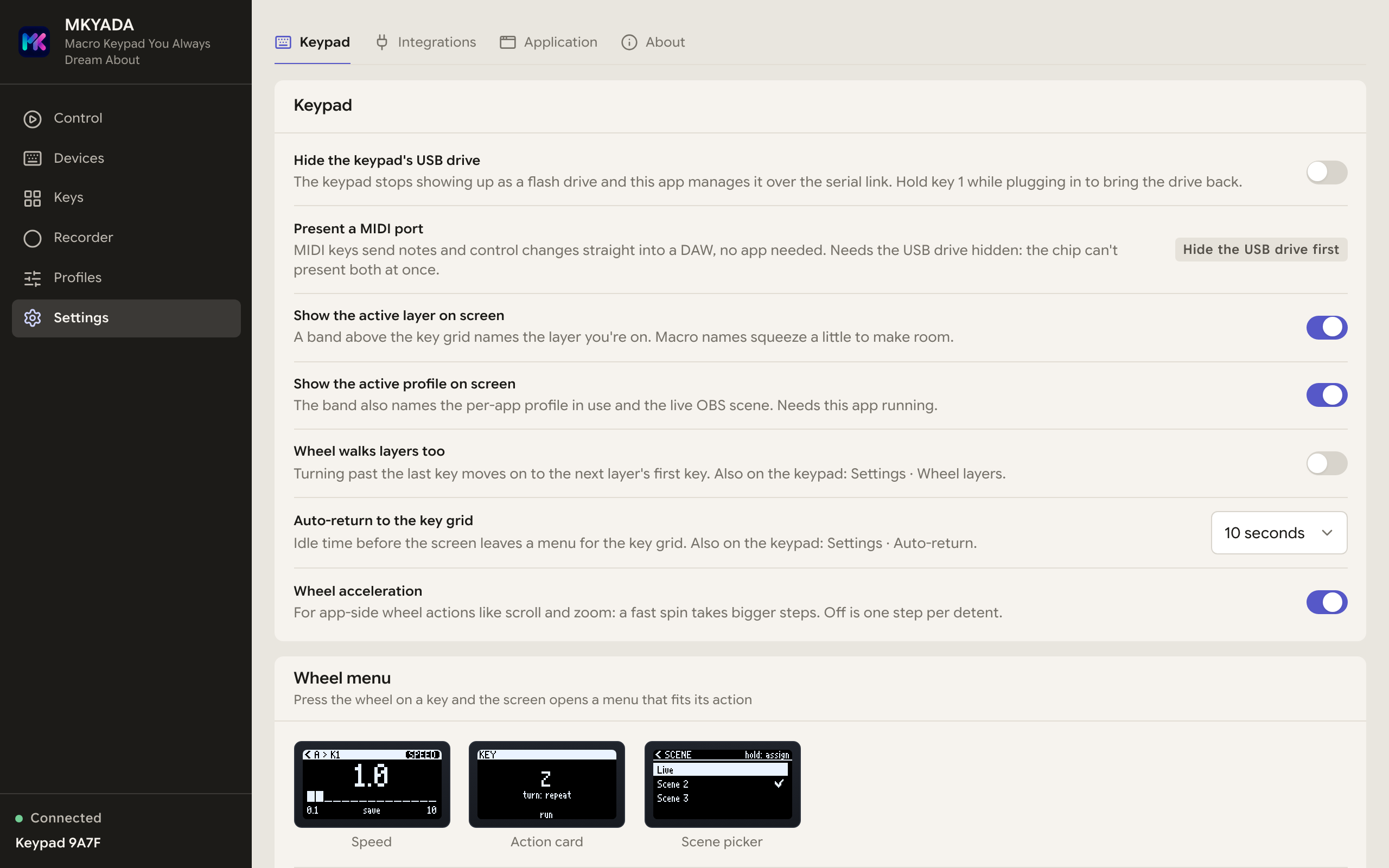
A whole menu system on the keypad: your six macro names, a layer picker, a per-macro speed editor, and a settings menu, all driven by the wheel. Bands across the top can name the active layer and the app you're in.Klavyede eksiksiz bir menü sistemi: altı makro adınız, katman seçici, makro başına hız ayarı ve bir ayarlar menüsü, hepsi tekerlekle sürülür. Üstteki bantlar aktif katmanı ve içinde bulunduğunuz uygulamayı gösterebilir.
Everything a key can doBir tuşun yapabildiği her şey
A dozen kinds of action. One press each.Bir düzine aksiyon. Her biri tek basışta.
A key isn't limited to a shortcut. Assign any of these to any key, on the keypad, per layer, or per app. Pure keystroke actions run straight off the device with no computer; the ones that need your computer run through the app, and the editor always tells you which is which.Bir tuş kısayolla sınırlı değil. Bunlardan herhangi birini istediğiniz tuşa atayın, klavye üzerinde, katman başına ya da uygulama başına. Salt tuş vuruşu aksiyonları bilgisayar olmadan doğrudan cihazdan çalışır; bilgisayara ihtiyaç duyanlar uygulama üzerinden çalışır ve düzenleyici hangisinin hangisi olduğunu her zaman söyler.
Keys & shortcutsTuşlar ve kısayollar
A single key or a full combo, Ctrl+Shift+E, ⌘⌥4, anything. Captured by simply pressing the shortcut you want.Tek bir tuş ya da tam bir kombinasyon, Ctrl+Shift+E, ⌘⌥4, ne isterseniz. İstediğiniz kısayola basmanız yeterli, yakalanır.
Text snippetsMetin parçacıkları
A signature, an email, a command, typed out for you on the right physical keys for your layout, AltGr included.Bir imza, bir e-posta, bir komut, düzeninize göre doğru fiziksel tuşlarla sizin yerinize yazılır, AltGr dahil.
Media & volumeMedya ve ses
Play/pause, next, previous, mute, volume up and down, the real media keys, understood by every OS and music app.Oynat/duraklat, sonraki, önceki, sessize al, ses aç/kıs, her işletim sisteminin ve müzik uygulamasının anladığı gerçek medya tuşları.
Mouse scroll & zoomFare kaydırma ve yakınlaştırma
Scroll up/down or pan sideways as real wheel input, hold a modifier to zoom, Ctrl+wheel in a browser, Alt+wheel in Illustrator. On the Vision 6, the encoder does it.Gerçek tekerlek girdisi olarak yukarı/aşağı kaydırın ya da yana kaydırın, yakınlaştırmak için bir değiştirici tutun, tarayıcıda Ctrl+tekerlek, Illustrator'da Alt+tekerlek. Vision 6'da bunu encoder yapar.
Recorded macrosKaydedilmiş makrolar
A whole sequence of mouse paths, clicks, scrolls and keystrokes, replayed with its original timing.Fare hareketleri, tıklamalar, kaydırmalar ve tuşlardan oluşan tüm bir dizi, orijinal zamanlamasıyla oynatılır.
Launch app, file or URLUygulama, dosya ya da URL aç
Open an application, jump to a document, or fire up a website, a Stream Deck-style launcher on every key.Bir uygulamayı açın, bir belgeye atlayın ya da bir web sitesini başlatın, her tuşta Stream Deck tarzı bir başlatıcı.
Run a commandKomut çalıştır
Run any shell command line on press, build scripts, git commands, system tweaks, quietly, no console window popping up.Basınca herhangi bir kabuk komutunu çalıştırın, derleme betikleri, git komutları, sistem ayarları, sessizce, açılan bir konsol penceresi olmadan.
Play a soundSes çal
Fire a sound effect, stinger or alert. Tap to play; hold the key to stop everything, fade it out, or restart from the top, your choice, per key.Bir ses efekti, jingle ya da uyarı çalın. Dokununca çalsın; tuşu basılı tutunca hepsini durdursun, kıssın ya da baştan başlatsın, karar tuş başına sizin.
Mic & push-to-talkMikrofon ve bas-konuş
Control your system microphone from a key, including true push-to-talk, live only while you hold it down.Sistem mikrofonunuzu bir tuştan yönetin, gerçek bas-konuş dahil, yalnızca basılı tuttuğunuz sürece açık.
OBS Studio controlOBS Studio kontrolü
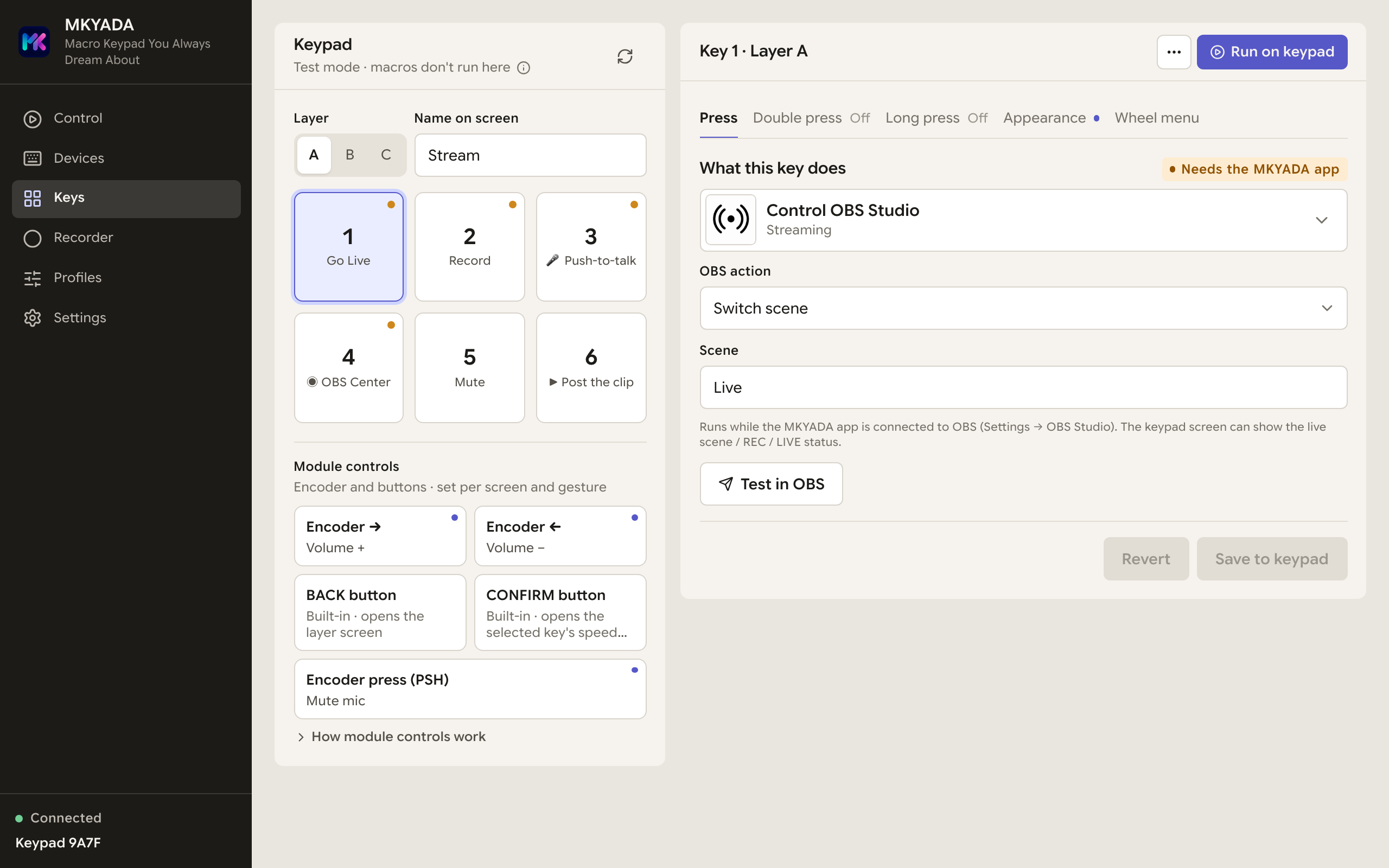
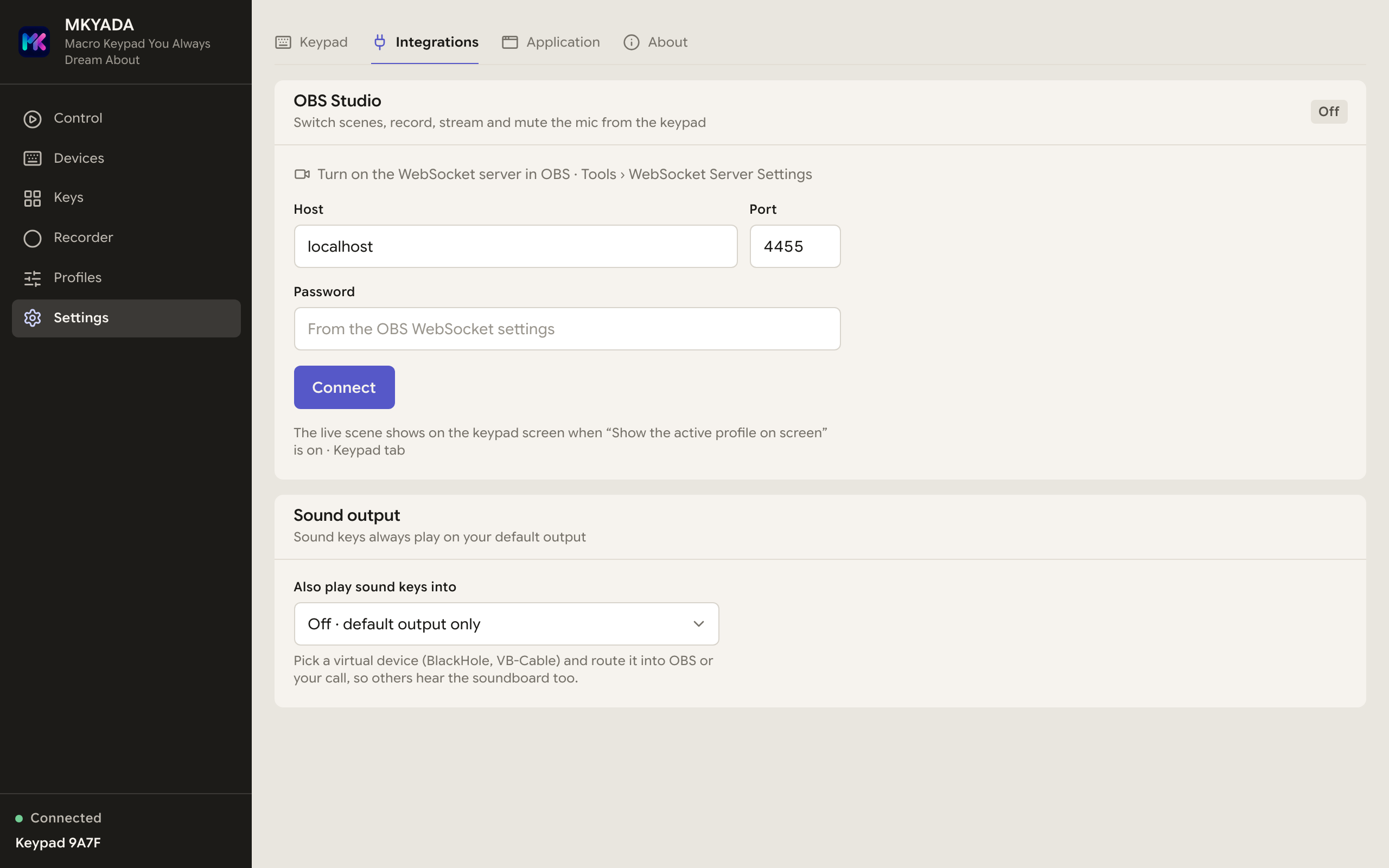
Switch scenes, start/stop recording and streaming, toggle the mic, virtual cam or replay buffer, all over obs-websocket. A Stream Deck for OBS, with no plugins.Sahne değiştirin, kayıt ve yayını başlatıp durdurun, mikrofonu, sanal kamerayı ya da tekrar arabelleğini açıp kapatın, hepsi obs-websocket üzerinden. Eklentisiz, OBS için bir Stream Deck.
Webhook / HTTP requestWebhook / HTTP isteği
Fire a fully custom HTTP request from a key press, any method, any headers, any body. If it has an API, a key can talk to it.Tuşa basınca tamamen özel bir HTTP isteği gönderin, her metot, her header, her gövde. API'si olan her şeyle bir tuş konuşabilir.
MIDI to your DAWDAW'ınıza MIDI
The keypad is a USB MIDI device as well as a keyboard, so a key sends a note, a control change or a program change straight into Ableton, Logic or Reaper with nothing running on the computer. Notes hold for exactly as long as you hold the key, the way a Looper or a drum pad expects.Klavye tuşu göndermenin yanı sıra bir USB MIDI cihazıdır, bu yüzden bir tuş; bilgisayarda hiçbir şey çalışmadan Ableton, Logic ya da Reaper'a doğrudan nota, kontrol değişimi ya da program değişimi gönderir. Notalar tuşu basılı tuttuğunuz sürece sürer, tıpkı bir Looper'ın ya da davul pad'inin beklediği gibi.
The DialKadran
On the Vision 6, a key opens a six-slot toolset on the screen: the keys pick a slot, the wheel drives it. Shortcut pairs, scroll, a mouse drag for controls that have no shortcut at all, or a MIDI knob. Ready-made sets for Resolve, Premiere, Photoshop, Ableton and more.Vision 6'da bir tuş ekranda altı slotluk bir araç seti açar: tuşlar slotu seçer, tekerlek onu sürer. Kısayol çiftleri, kaydırma, hiç kısayolu olmayan kontroller için fare sürükleme ya da bir MIDI düğmesi. Resolve, Premiere, Photoshop, Ableton ve dahası için hazır setler.
Multi-action sequenceÇok aksiyonlu dizi
Chain several of these together with a pause between each. All keystrokes? It compiles into one standalone macro. Needs the app for a step? The editor flags exactly which.Bunların birkaçını, aralarında bekleme ile zincirleyin. Hepsi tuş vuruşuysa tek bir bağımsız makroya derlenir. Bir adım uygulamaya ihtiyaç duyuyorsa düzenleyici hangisi olduğunu belirtir.
The recorderKaydedici
Do it once. It's yours forever.Bir kez yapın. Artık hep sizin.
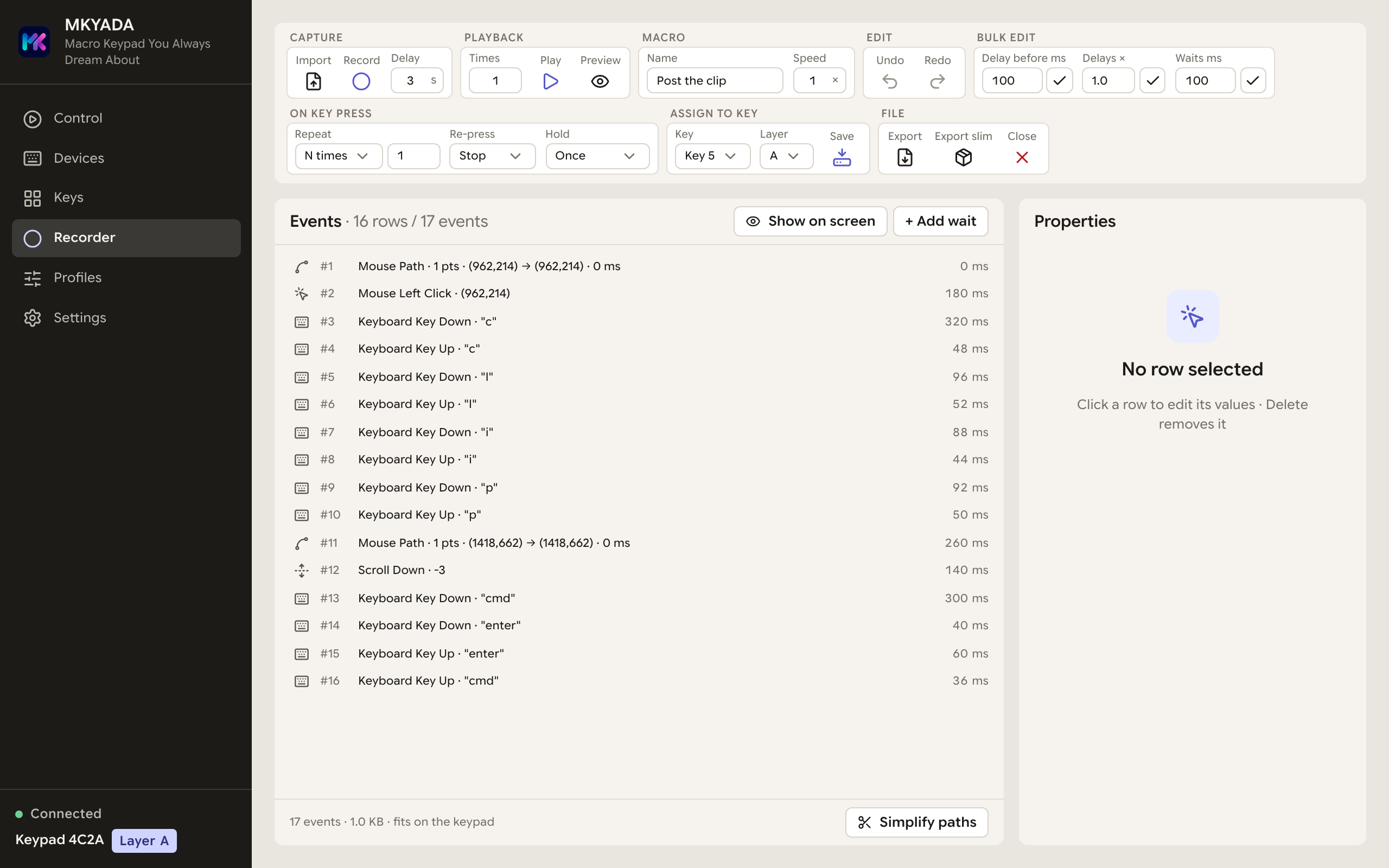
Press record and just work: every mouse path, click, scroll, keystroke and pause is captured with millisecond timing. A countdown lets you get in position, and a global hotkey starts and stops recording even while you're inside a game.Kaydı başlatın ve işinizi yapın: her fare hareketi, tıklama, kaydırma, tuş ve bekleme milisaniye hassasiyetinde yakalanır. Geri sayım sizi pozisyon almanız için bekler; global kısayol tuşu oyun içindeyken bile kaydı başlatıp durdurur.
Pixel-true mouse pathsPiksel hassasiyetinde fare yolları
See your recorded path drawn 1:1 on your real screen with a transparent overlay, every click numbered, exactly where it will land.Kaydedilen yol, şeffaf bir katmanla gerçek ekranınızın üzerine 1:1 çizilir, her tıklama numaralı, tam ineceği yerde.
A real editorGerçek bir düzenleyici
Every coordinate, delay and key is editable. Select 60 rows with one shift-click and delete them. Straighten paths, rescale timing, shrink it to fit the keypad.Her koordinat, gecikme ve tuş düzenlenebilir. Shift ile tek tıkta 60 satırı seçip silin. Yolları düzleştirin, süreyi ölçekleyin, klavyeye sığacak şekilde küçültün.
Playback, your rulesOynatma, sizin kurallarınız
Press again to stop or restart. Hold the key to repeat like a held letter. Loop until you press again. Speed it up 10×. You decide.Tekrar basınca dursun ya da baştan başlasın. Basılı tutunca harf gibi tekrarlasın. Siz basana kadar dönsün. 10 kat hızlansın. Karar sizin.
The recorder, 16 captured events, every row editable, playback rules per keyKaydedici, yakalanan 16 olay, her satır düzenlenebilir, tuş başına oynatma kuralları
Key logicTuş mantığı
Tap. Double-tap. Hold. Three actions, one key.Tek dokunuş. Çift. Basılı tut. Üç aksiyon, tek tuş.
Give the same key up to three independent jobs and choose how it fires. The keypad resolves the gesture on its own, so it still works with no app running, and if you skip the double-tap, the tap fires instantly with zero added latency.Aynı tuşa en fazla üç bağımsız görev verin ve nasıl tetikleneceğini seçin. Jesti klavye kendisi çözer; uygulama açık olmasa bile çalışır, çift dokunuşu atamazsanız tek dokunuş hiç gecikme eklemeden anında tetiklenir.
TapDokun
Double-tapÇift dokun
HoldBasılı tut
Want even more? Turn a key into a layer switch and build a whole page of logic, the same six keys become an entirely different keypad.Daha da fazlası mı? Bir tuşu katman anahtarına çevirip koca bir sayfa mantığı kurun, aynı altı tuş bambaşka bir klavyeye dönüşsün.
Layers & profilesKatmanlar ve profiller
Six keys. Dozens of jobs.Altı tuş. Onlarca görev.
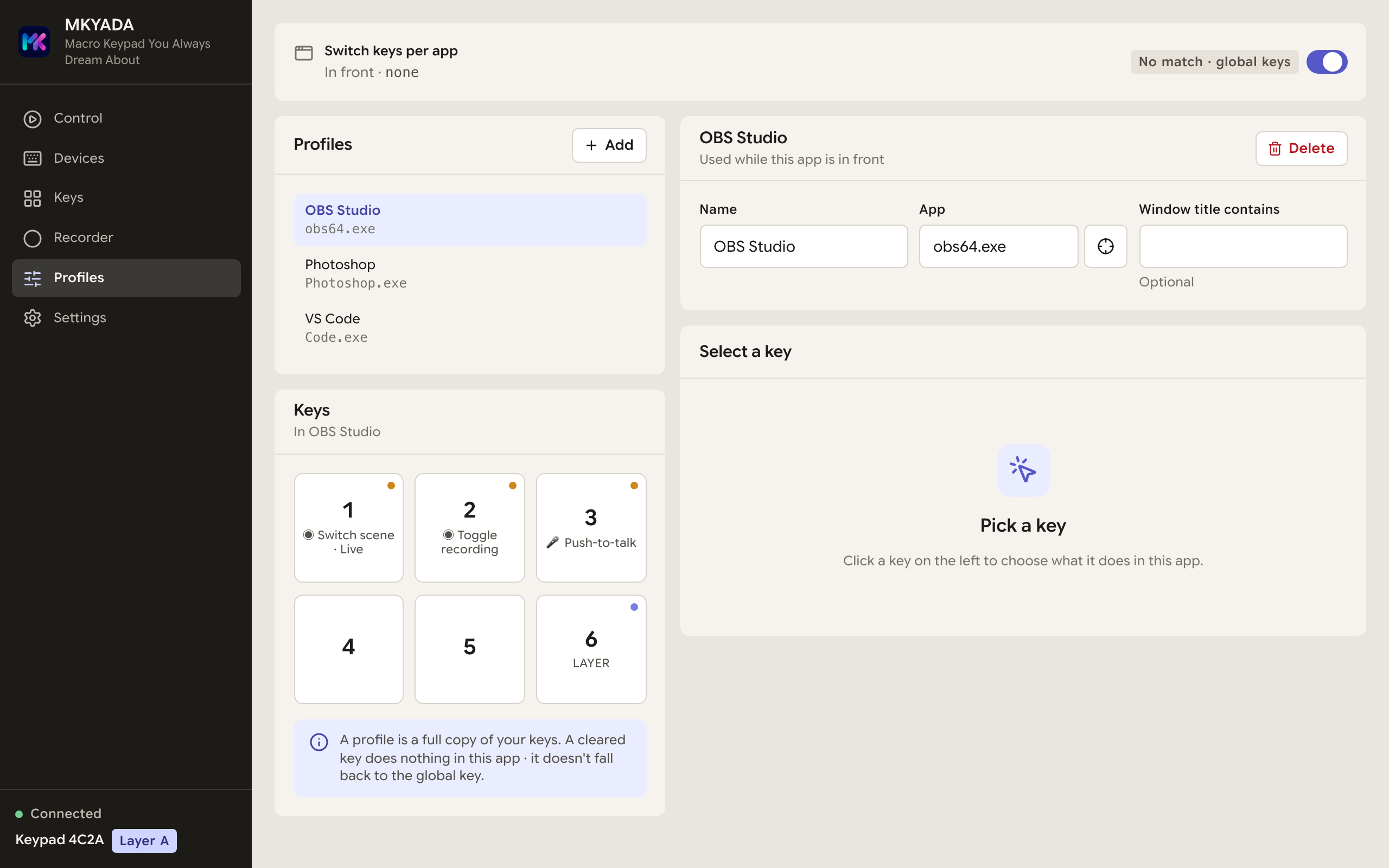
Turn any key into a layer switch and multiply your keypad. The app shows which layer you're on, live, and per-app profiles switch automatically as you change windows.Herhangi bir tuşu katman anahtarına çevirin ve klavyenizi katlayın. Uygulama hangi katmanda olduğunuzu canlı gösterir, uygulamaya özel profiller pencere değiştirdikçe kendiliğinden geçer.
Layer A, EditingKatman A, Kurgu
Cut, copy, search, undo. Your everyday tools, one tap away.Kes, kopyala, ara, geri al. Günlük araçlarınız tek dokunuş uzağında.
Layer B, StreamingKatman B, Yayın
Mute the mic, switch scenes, clip that moment, without leaving your game.Mikrofonu kapatın, sahne değiştirin, o anı klipleyin, oyundan çıkmadan.
Layer C, That one gameKatman C, O meşhur oyun
Potions, builds, emotes. The same six keys, a whole different keypad.İksirler, dizilimler, ifadeler. Aynı altı tuş, bambaşka bir klavye.
Mic controlMikrofon kontrolü
A real push-to-talk key. And three more ways to mute.Gerçek bir bas-konuş tuşu. Ve sessize almanın üç yolu daha.
Drive your system microphone straight from the keypad, no fiddling with app settings mid-call. Pick exactly how a mic key behaves, and mirror the live mute state onto the keypad's own LED so a glance at the desk tells you if you're hot.Sistem mikrofonunuzu doğrudan klavyeden yönetin, görüşme ortasında uygulama ayarlarıyla uğraşmak yok. Bir mikrofon tuşunun tam olarak nasıl davranacağını seçin; canlı sessize alma durumunu klavyenin kendi LED'ine yansıtın, böylece masaya bir bakış açık mısınız söyler.
Push-to-talkBas-konuşLive only while held. Release to mute.Yalnızca basılıyken açık. Bırakınca susar.
ToggleDeğiştirFlip mute on and off with each press.Her basışta sessizi açıp kapatır.
Always muteHep susturDrive to muted, whatever the state.Durum ne olursa olsun sessize alır.
Always unmuteHep açDrive to live, whatever the state.Durum ne olursa olsun mikrofonu açar.
WebhooksWebhook'lar
One press. Anything on the internet.Tek basış. İnternette ne varsa.
A keypad key can now fire a fully custom HTTP request, pick the method (GET, POST, PUT, DELETE…), add any headers, write the body yourself. If it has an HTTP API, a key can talk to it: turn the lights off, drop a message into Discord or Telegram, trigger a Home Assistant scene, ping your own server. A “Send test request” button lets you confirm it works before you ever leave the editor.Klavye tuşu artık tamamen özel bir HTTP isteği gönderebilir, metodu seçin (GET, POST, PUT, DELETE…), istediğiniz header'ları ekleyin, gövdeyi kendiniz yazın. Bir şeyin HTTP API'si varsa bir tuş onunla konuşabilir: ışıkları kapatın, Discord ya da Telegram'a mesaj bırakın, bir Home Assistant sahnesini tetikleyin, kendi sunucunuza istek atın. Bir “Test isteği gönder” düğmesi, düzenleyiciden çıkmadan çalıştığını doğrulamanızı sağlar.
key 3 · webhook
POSThttps://api.lights/scene
AuthorizationBearer •••••
Content-Typeapplication/json
{ "scene": "movie", "brightness": 20 }
Send test requestTest isteği gönder
Remote controlUzaktan kontrol
Out of reach? Still in control.Uzakta mısınız? Kontrol yine sizde.
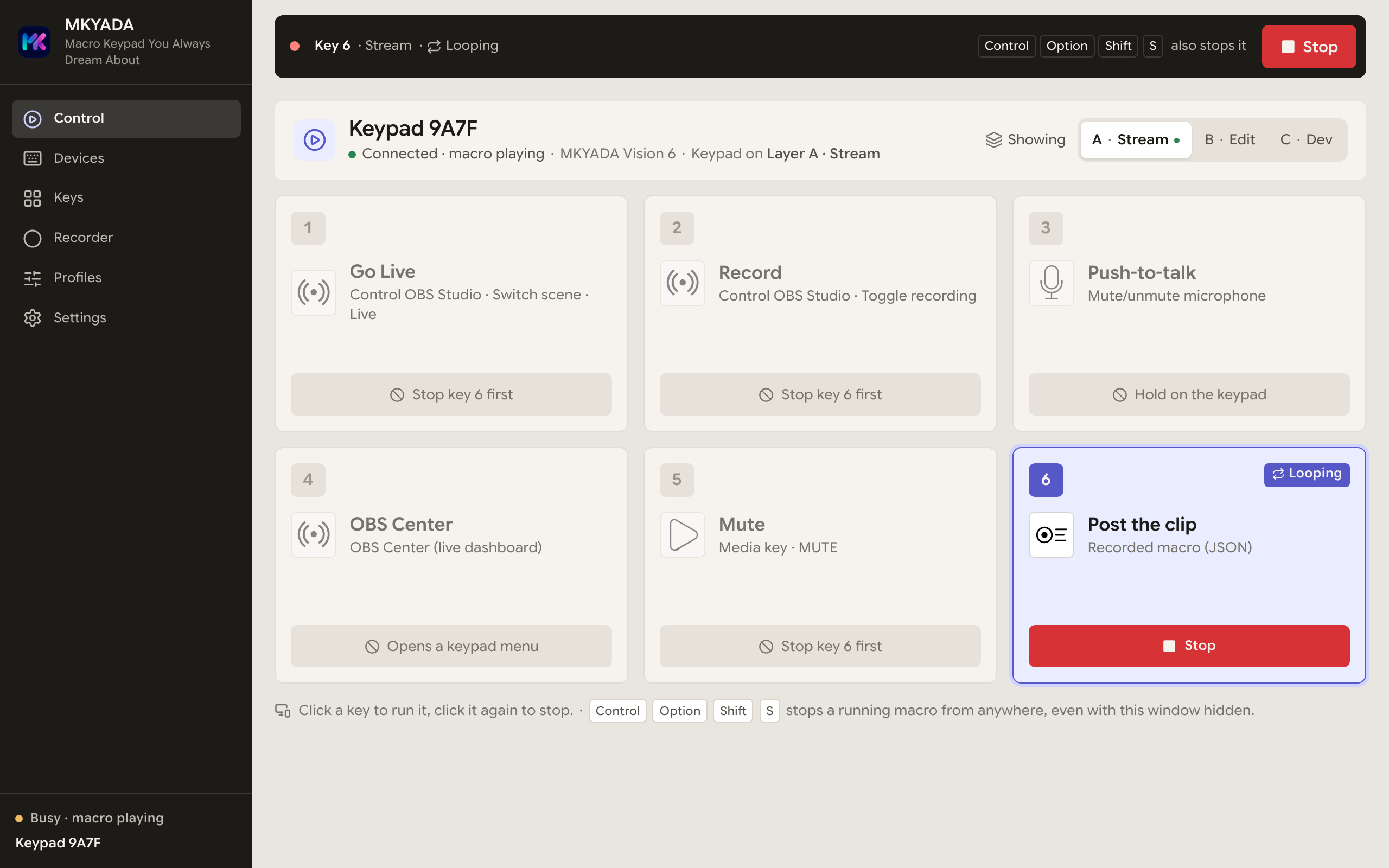
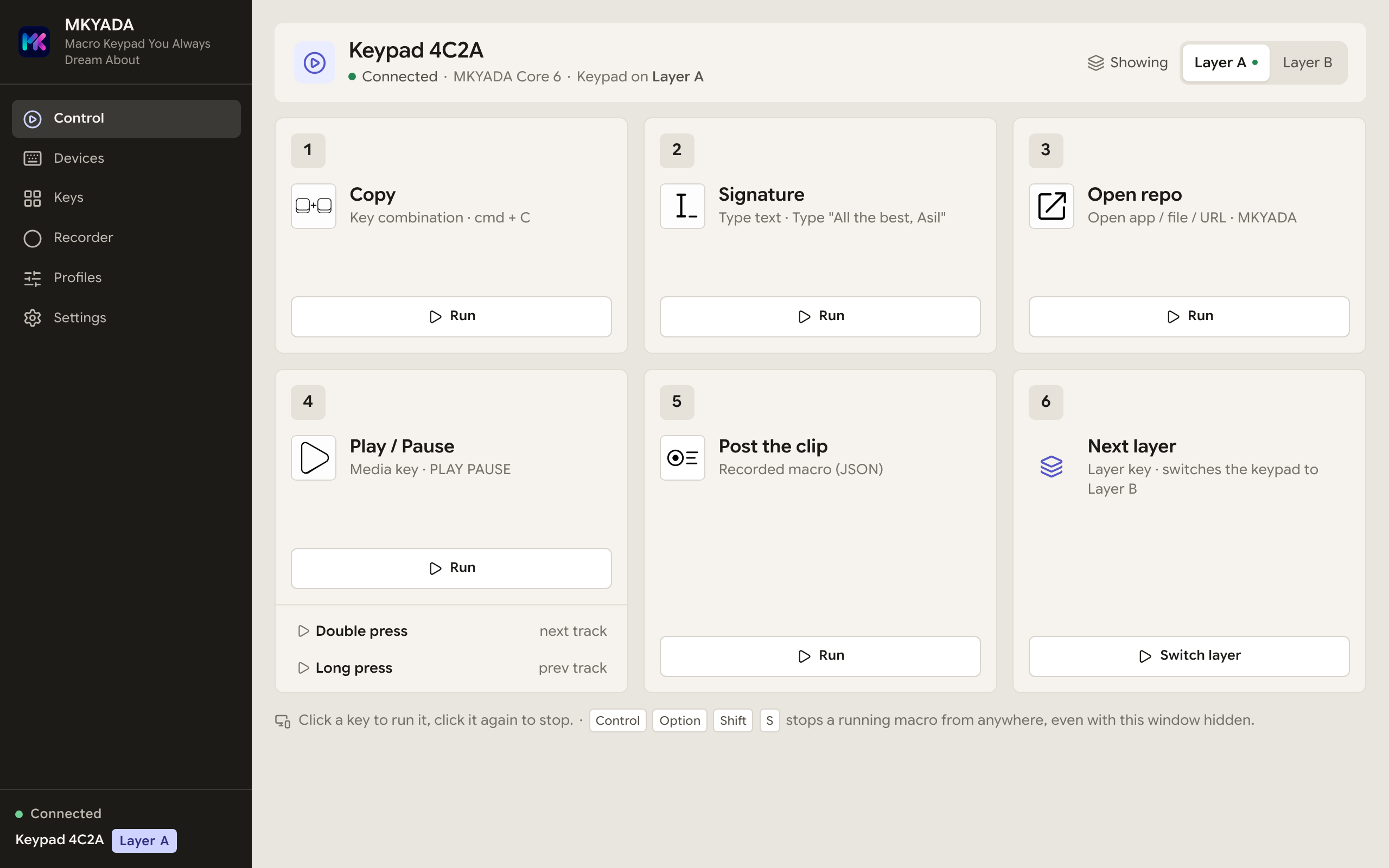
Plenty of keypads sit on a computer you reach over Chrome Remote Desktop, a game box running a macro on loop. From there you can't press the physical key, so the app does it for you. The Control page, the first thing the app opens, shows every key as a big tile: Run presses it on the keypad exactly like your finger would, still as real hardware input, and the playing tile turns into Stop.Pek çok klavye, Chrome Remote Desktop ile bağlandığınız bir bilgisayarda durur; döngüde makro çalıştıran bir oyun kasası gibi. Oradan fiziksel tuşa basamazsınız, o yüzden bunu uygulama yapar. Uygulamanın açıldığı ilk sayfa olan Control, her tuşu büyük bir kart olarak gösterir: Run, tuşa klavyenin üzerinde parmağınızla basmışsınız gibi basar, yine gerçek donanım girdisiyle; çalan kart Stop'a dönüşür.
RunÇalıştırPress any key, any layer, from the app. Double and long press too.Herhangi bir tuşa, herhangi bir katmanda uygulamadan basın. Çift ve uzun basış da.
Stop barDurdurma çubuğuOn every page while a macro plays. Then Run again.Makro çalarken her sayfada. Ardından Run again.
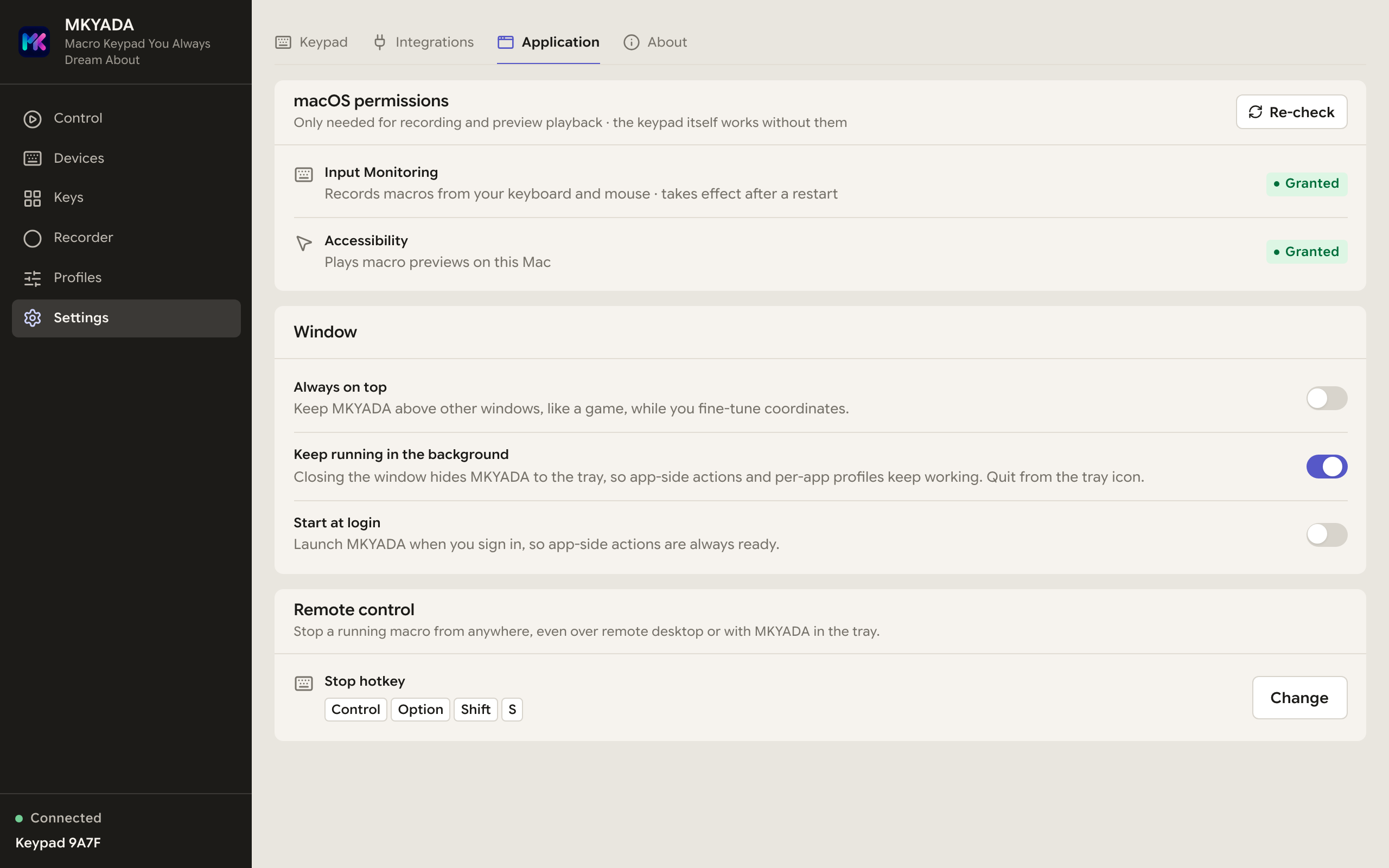
Stop hotkeyDurdurma kısayoluCtrl+Alt+Shift+S by default, even with the window hidden.Varsayılan Ctrl+Alt+Shift+S, pencere gizliyken bile.
TrayTepsiStop playback, one click from the system tray.Stop playback, sistem tepsisinden tek tık.
Control, key 6 looping: Stop on the tile, in the bar, or with the hotkeyControl, 6. tuş döngüde: kartta, çubukta ya da kısayolla durdurun
The desktop appMasaüstü uygulaması
Powerful underneath. Friendly on top.Altında güç. Üstünde sadelik.
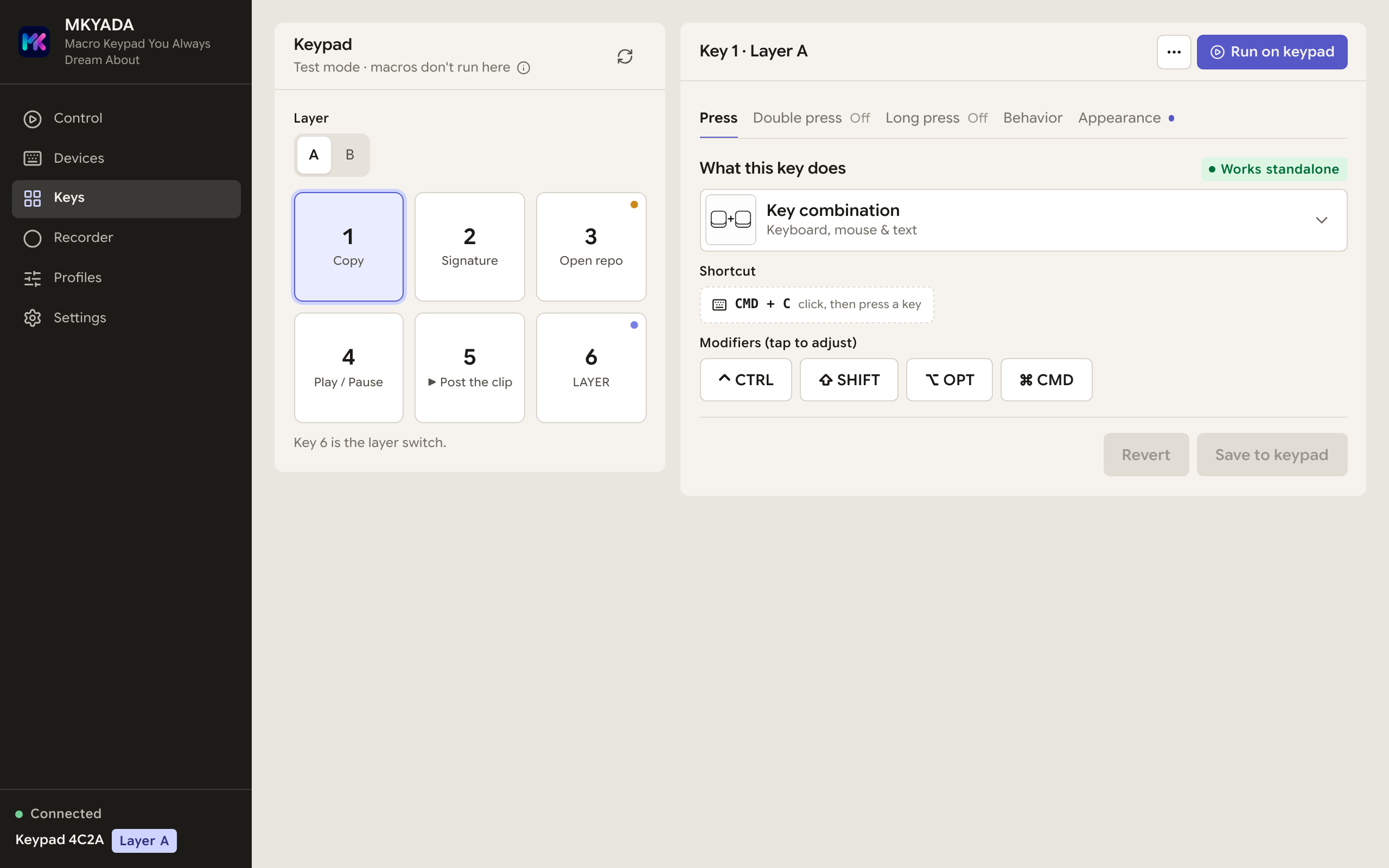
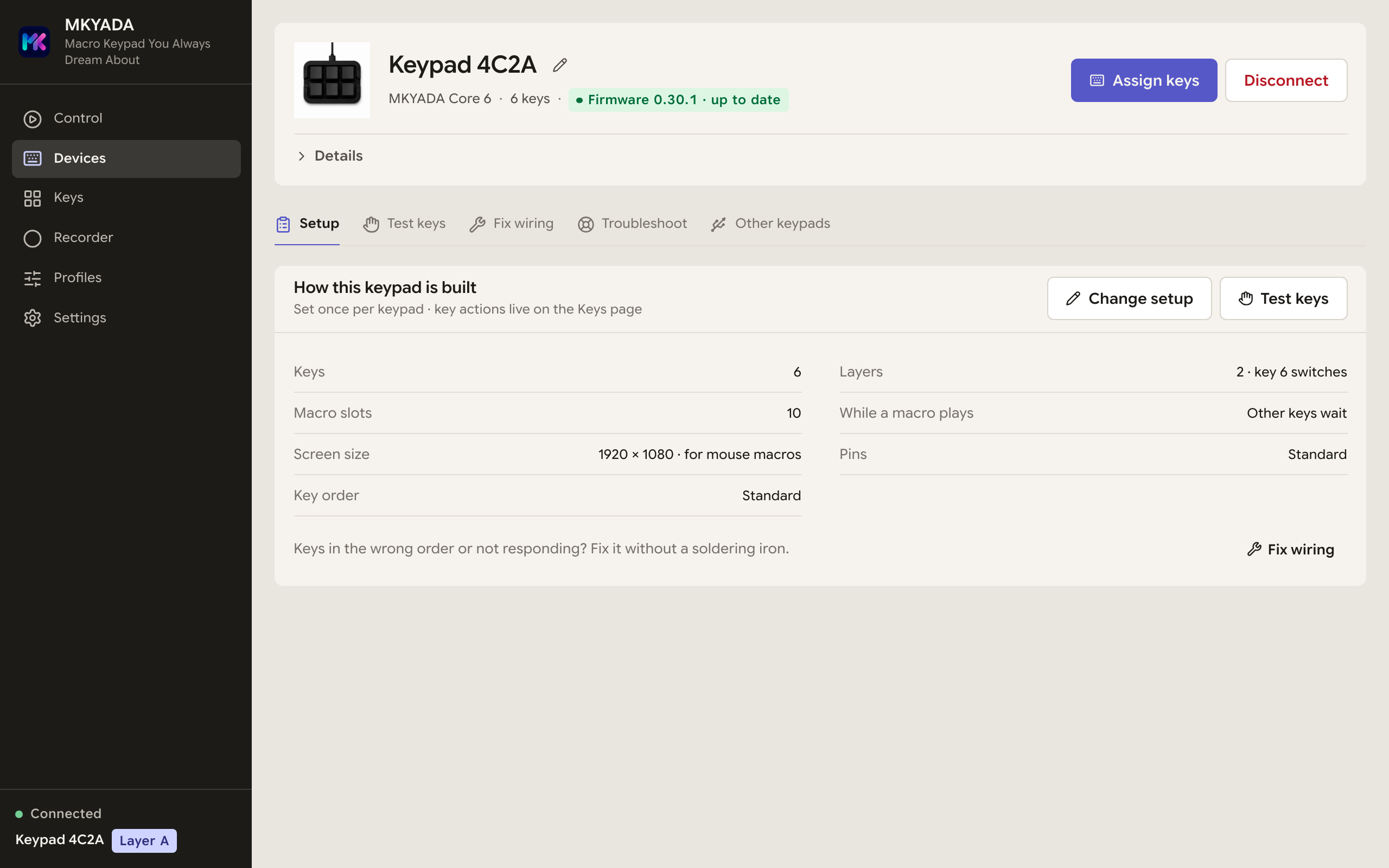
Assign a key by simply pressing the shortcut you want, no menus to dig through. Run any key from the app, test every key live, fix swapped wiring without a soldering iron, and get firmware updates delivered inside the app. One Devices page holds it all: setup, key test, wiring, troubleshooting and your other keypads. It even stays on top of your game while you fine-tune coordinates. And closing the window doesn't close MKYADA, it lives on in the system tray.Tuş atamak için istediğiniz kısayola basmanız yeter, menülerde kaybolmak yok. Her tuşu uygulamadan çalıştırın, tüm tuşları canlı test edin, ters lehimlenmiş kabloları havyasız düzeltin, bellenim güncellemeleri uygulamanın içinden gelsin. Hepsi tek bir Devices sayfasında: kurulum, tuş testi, kablolama, sorun giderme ve diğer klavyeleriniz. Koordinatlarda ince ayar yaparken oyununuzun üstünde bile kalır. Ve pencereyi kapatmak MKYADA'yı kapatmaz, sistem tepsisinde yaşamaya devam eder.
Control · every key as a tile, run it from the appControl · her tuş bir kart, uygulamadan çalıştırın
Devices · nickname, firmware & one-click updates, setup at a glanceCihazlar · takma ad, bellenim ve tek tıkla güncelleme, kurulum tek bakışta
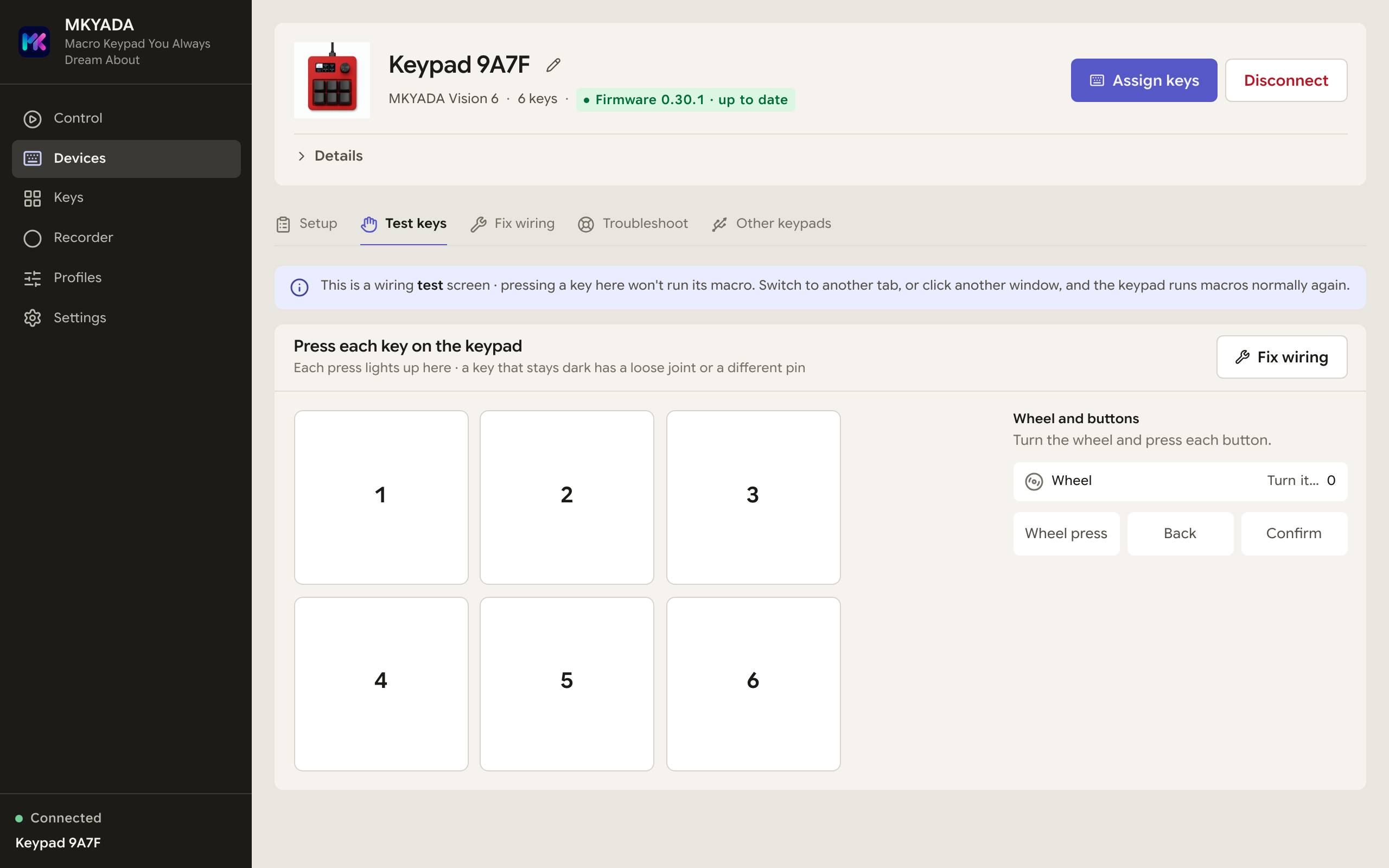
Devices · Test keys: every press lights up, wheel and buttons tooCihazlar · Tuş testi: her basış yanar, tekerlek ve düğmeler de
Keys · press-to-capture assignment, tabs for press, double, long press and looksTuşlar · bas-yakala atama, basış, çift, uzun basış ve görünüm sekmeleri
Recorder · every captured event as an editable rowKaydedici · yakalanan her olay düzenlenebilir bir satır
Profiles · the active window picks the keys, each profile its own gridProfiller · tuşları öndeki pencere seçer, her profilin kendi tuş ızgarası
Settings · Keypad: screen bands, auto-return, wheel feelAyarlar · Tuş takımı: ekran bantları, otomatik dönüş, teker hissi
Settings · Integrations: OBS Studio and a second sound outputAyarlar · Entegrasyonlar: OBS Studio ve ikinci ses çıkışı
Your launch, command and sound keys keep working after you close the window. Turn on "start at login" once and forget about it.Başlatma, komut ve ses tuşlarınız pencereyi kapattıktan sonra da çalışır. "Açılışta başlat" seçeneğini bir kez açın, gerisini unutun.
It reconnects itselfKendi kendine yeniden bağlanır
Unplugged, reset, or a stubborn read-only drive, MKYADA detects it and recovers on its own, no unplug-replug dance required.Fişi çekilmiş, sıfırlanmış ya da inatçı bir salt-okunur sürücü, MKYADA bunu fark eder ve kendi kendine toparlanır, fişi çekip takmanıza gerek kalmaz.
Finished-product modeBitmiş ürün modu
Handing the keypad to someone? Hide its USB drive with one toggle and it stops looking like a dev board, no stray files, no CIRCUITPY disk popping up. The app still manages everything over the wire.Klavyeyi birine mi vereceksiniz? Tek düğmeyle USB sürücüsünü gizleyin; artık bir geliştirme kartı gibi görünmez, ortada dosya yok, açılan CIRCUITPY diski yok. Uygulama her şeyi yine kablo üzerinden yönetir.
How it comparesNasıl kıyaslanır
Everything the others do. Plus the parts they can't.Rakiplerin yaptığı her şey. Bir de yapamadıkları.
The Stream Deck is polished but closed and pricey. The cheap clones are… cheap. MKYADA gives you hardware-level muscle neither of them has, for pocket change.Stream Deck cilalı ama kapalı ve pahalı. Ucuz kopyalar ise… ucuz. MKYADA, ikisinde de olmayan donanım seviyesinde bir gücü size verir, hem de cep harçlığına.
Elgato Stream Deck
Cheap clonesUcuz kopyalar
MKYADA
PriceFiyat
~$150
$15–40
~$5 DIY~$15-$25 kendin yap
Real hardware keystrokes, works in gamesGerçek donanım tuşları, oyunlarda çalışır
Records mouse paths, clicks & scrollsFare yolları, tıklama ve kaydırma kaydı
Runs standalone, no app neededBağımsız çalışır, uygulama gerekmez
Layout-aware text (Turkish Q, QWERTZ, AZERTY)Düzen-farkında metin (Türkçe Q, QWERTZ, AZERTY)
Layers & per-app profilesKatmanlar ve uygulamaya özel profiller
Webhooks, commands, mic & push-to-talkWebhook, komut, mikrofon ve bas-konuş
pluginseklenti
built-inyerleşik
Sends MIDI to a DAWDAW'a MIDI gönderir
and keystrokesve tuş vuruşu
On-device screen & rotary wheelCihaz üstü ekran ve döner tekerlek
screen onlyyalnızca ekran
Vision 6Vision 6
No account, cloud or subscriptionHesap, bulut ya da abonelik yok
Open source & hackable, firmware + appAçık kaynak ve özgür, bellenim + uygulama
4610
Print your ownKendin bas
How many keys do you need?Kaç tuşa ihtiyacın var?
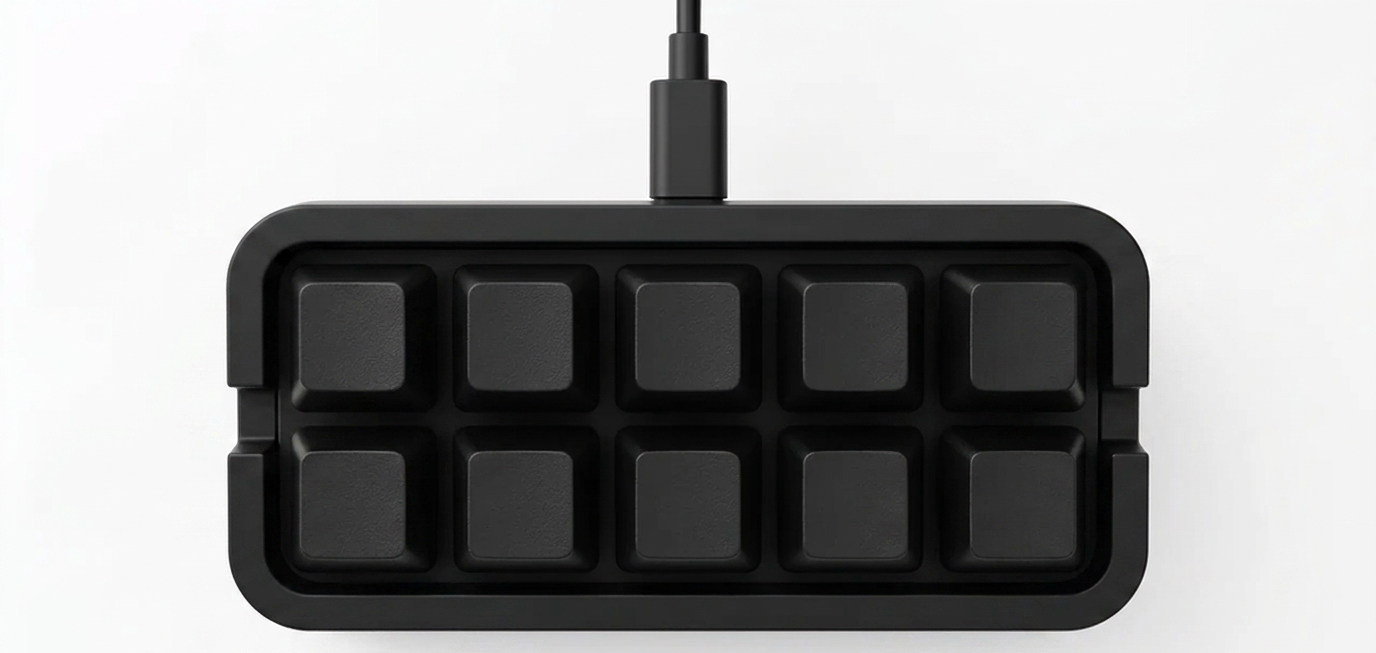
From a single key to a full 20-key deck. Same firmware, same app, same JSON files. Print any faceplate you like, one row or two, whatever fits your desk, and solder exactly as many keys as you want.Tek bir tuştan 20 tuşluk tam bir deck'e kadar. Aynı bellenim, aynı uygulama, aynı JSON dosyaları. İstediğiniz kapağı basın, tek sıra ya da iki, masanıza ne uyuyorsa, ve tam istediğiniz kadar tuş lehimleyin.
Open hardwareAçık donanım
Built by you. For about the price of lunch.Kendi ellerinizle. Bir öğle yemeği parasına.
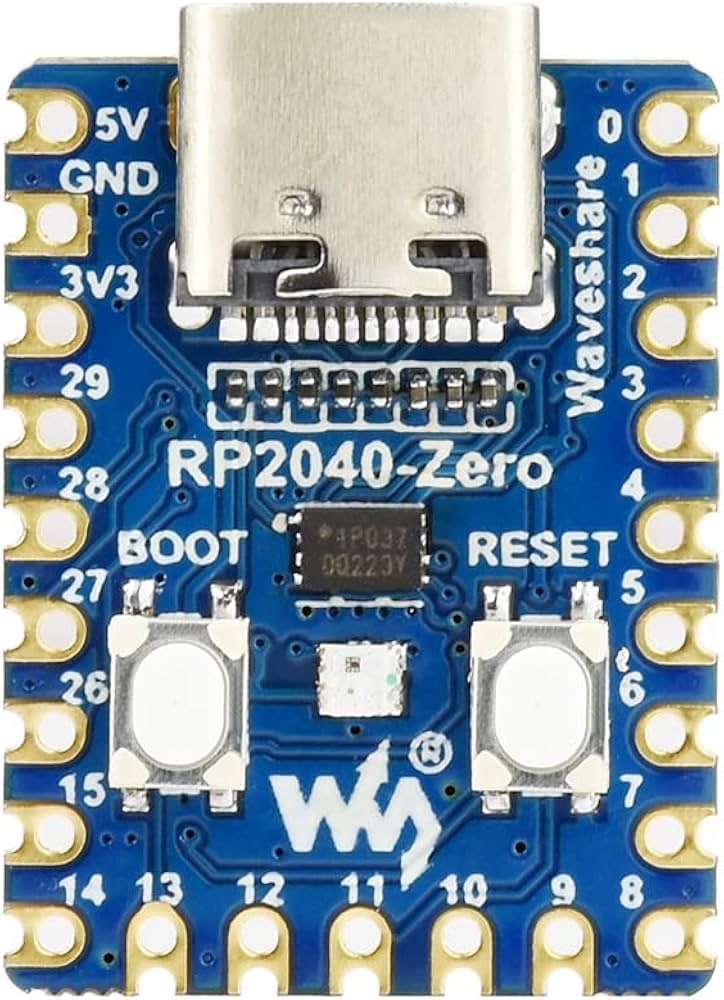
MKYADA runs on the $5 RP2040-Zero. Print the case, solder 1 to 20 keys to a common ground, flash the firmware, done. Soldered keys in the “wrong” order? Remap them in the app instead of reaching for the iron.MKYADA 5 dolarlık RP2040-Zero üzerinde çalışır. Gövdeyi basın, 1 ile 20 arası tuşu ortak GND'ye lehimleyin, bellenimi yükleyin, bitti. Tuşları “yanlış” sırayla mı lehimlediniz? Havyaya değil, uygulamadaki yeniden eşlemeye uzanın.
PrintBas
Two STL files in the repo: the RP2040-Zero body and a 3×2 faceplate. Any desktop FDM printer will do, no printer? Any online print service prints them for a few dollars.Depoda iki STL var: RP2040-Zero gövdesi ve 3×2 kapak. Sıradan bir masaüstü FDM yazıcı yeterli, yazıcınız yok mu? Herhangi bir çevrimiçi baskı servisi birkaç dolara basar.
SolderLehimle
All switches share one ground; each signal pin gets a key, in order. 1 key or 20, the firmware adapts. Wiring guide.Tüm anahtarlar tek GND'yi paylaşır; her sinyal pinine sırayla bir tuş. 1 tuş da olur 20 de, bellenim uyum sağlar. Lehim rehberi.
Flash & playYükle ve oyna
One click in the app: Devices → Set up a new board flashes CircuitPython, the firmware and a starter config onto a blank board, no tools. From then on, updates arrive inside the app.Uygulamada tek tık: Devices → Set up a new board boş karta CircuitPython'ı, bellenimi ve başlangıç ayarını yükler, alet gerekmez. Sonrası için güncellemeler uygulamanın içinden gelir.
Stop repeating yourself.Kendinizi tekrar etmeyi bırakın.
Download the app, or build the whole thing from scratch. Either way, it's free, and it's yours.Uygulamayı indirin ya da her şeyi sıfırdan kendiniz yapın. İki türlü de ücretsiz, ve tamamen sizin.